
Empty state UX explains what a screen contains when there is nothing to show yet, nothing that matches a search, or something that needs recovery. A strong state answers three questions immediately: what happened, what can the person do next, and what will change after that action. Design first-use, no-result, filtered, and recoverable-error states separately; they have different causes and different next steps.
Use Mockitt Design to compare the copy, hierarchy, and action for each state before wiring the screen into a larger prototype. Keep the state model explicit so a polished illustration never hides a missing path.
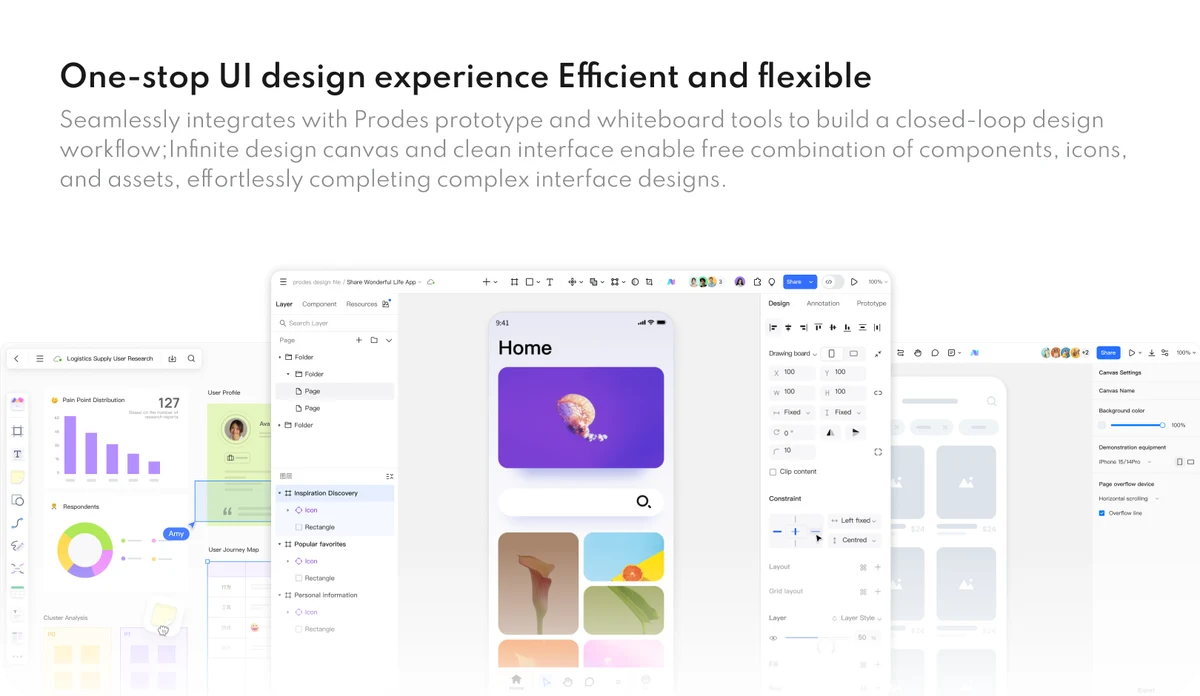
Four empty-state types to design
| State | What the person needs | Useful next action |
|---|---|---|
| First use | What this area is for and how to begin. | Create, import, invite, or try an example. |
| No results | Confirmation that the query ran and why it matched nothing. | Clear the query, change a term, or browse a related category. |
| Filtered list | Which filters removed the visible items. | Remove one filter or reset all filters. |
| Recoverable failure | Whether the action completed and whether retry is safe. | Retry, refresh, save locally, or contact support with a useful code. |
Do not label every blank screen “No data.” A first-use state asks someone to create data; a no-result state should help them adjust a query; a failure state must avoid implying that data was deleted.
Write the message in three layers
- Headline: state the condition in familiar language, such as “No projects yet” or “No results for ‘blueprints.’”
- Explanation: give one short reason or orientation sentence. Do not describe an internal error the person cannot act on.
- Action: offer the smallest safe next step, with a label that says what it does: “Create a project,” “Clear filters,” or “Try again.”
Keep the primary action close to the message. If there is a secondary path, make its relationship clear; for example, “Browse examples” can sit below “Create a project.” Avoid a decorative illustration that competes with the action or suggests a capability the product does not provide.
Design first-use and no-result states
A first-use state should teach just enough to start. If the screen has several possible starting points, choose one recommended path and explain the alternatives. Use an example only when it is clearly labeled as an example and does not look like the person’s real data.
A no-result state should preserve the query and filters so recovery is easy. Show the search term or active filter in the message when space allows. Suggest a change based on the actual query, not a generic list of unrelated links. If spelling correction is offered, let the person see and accept the corrected term rather than silently changing the search.
Test the boundary case where a user removes one filter and still sees no results. The state should explain whether the remaining filter or the query is responsible; otherwise the person may repeatedly reset the wrong control.
Design recovery with clear consequences
A recoverable error is a state, not just a red banner. Say whether the request was sent, whether it is safe to retry, and whether work is saved. “Something went wrong” leaves the most important decision unanswered. A better message is “The file did not upload. Your draft is saved. Try again or choose another file.” Use a request ID only as additional support information, not as the primary instruction.
For a destructive or potentially repeated action, make the consequence explicit. A retry that can duplicate an order needs different wording from a retry that only reloads a list. If the product cannot determine the result, offer a way to check status before repeating the action.
Check accessibility and localization
- Give the state a meaningful heading and keep the action reachable by keyboard.
- Do not rely on color or an illustration to communicate why the state exists.
- Use sufficient contrast and a visible focus indicator for the primary action.
- Write alt text for informative images; mark decorative illustrations as decorative.
- Allow for longer translations and larger text without clipping the action or explanation.
Check the state at the zoom and text-size settings your product supports. A compact empty state can become a broken layout when a translated headline wraps to three lines. Measure the action label and reserve space rather than forcing a fixed-height card.
Test empty states with realistic tasks
Ask a participant to begin with an empty account, search for a term that has no matches, apply two filters, and recover from a failed action. Observe whether they can explain what happened and choose the intended next step without moderator help. Test the transition after the action as well: the first created item should appear, cleared filters should be visible, and a successful retry should not leave a stale error.
Record the condition, the expected state, the visible message, and the recovery result. A prototype can reveal whether the copy and hierarchy make sense before the underlying data and error handling are implemented.
A compact empty-state review
- Can someone name the state after reading the headline?
- Does the explanation match the actual cause?
- Is there one safe, specific next action?
- Can the person undo or inspect the result when the outcome is uncertain?
- Does the layout survive long text, keyboard focus, and mobile width?
When these answers are clear, an empty screen becomes a useful part of the product flow. It orients people, protects their work, and gives the team a testable contract for the states behind the interface.
Model state transitions before polish
Draw the state changes as a small sequence before choosing an illustration. For a new project, the sequence may be empty, create form, saving, and populated. For a search, it may be query entered, no results, filter changed, and results shown. Include the path back when a person cancels or the request fails. This exposes missing states earlier than a visual review does.
Write the condition that causes each transition and the data that must be preserved. If a filter reset changes the URL, make that behavior consistent with the browser back button. If a retry can run twice, show a pending state or provide a status check. These details turn an empty-state design into a testable interaction contract.
Measure recovery without gaming the task
For a review session, define success as understanding the condition and choosing a safe next step, not merely clicking the primary button. Ask people what they think happened before offering help. Record whether they can recover, whether they lose their query or draft, and whether the resulting screen confirms the action.
Interpret the observations in context. A participant who ignores a secondary link may be following the primary recommendation, while a participant who repeatedly retries may not know whether the first request completed. Use these observations to refine the message and state logic, then test the revised transition with the same task conditions.
Avoid empty-state content debt
Assign an owner for each state’s copy and behavior, especially when the screen is reused across products. Keep the condition, message, action label, and analytics event together in the component or specification. When a new filter, permission rule, or import path is added, update the state model and test the corresponding empty case.
Review empty states after launch when support questions show that people misunderstand the condition. A small wording change may help, but only if the underlying state is accurate. If the system cannot tell whether data is missing, loading, or unavailable, improve that signal before adding more explanation.