A carousel prototype can help a team review slide order, controls, and transitions before implementing a React component. The steps below use Mockitt to model the interface and prepare a handoff. They do not generate a working React carousel or a React Native component.
- Part 1. Prototype the Carousel
- Part 2. Create the Carousel Prototype
- Part 3. Implementation Notes After the Prototype
Use Mockitt to Prototype the Carousel
Use Mockitt to arrange the carousel interface, preview its interactions, and discuss the behavior with your team. React implementation is a separate development step.
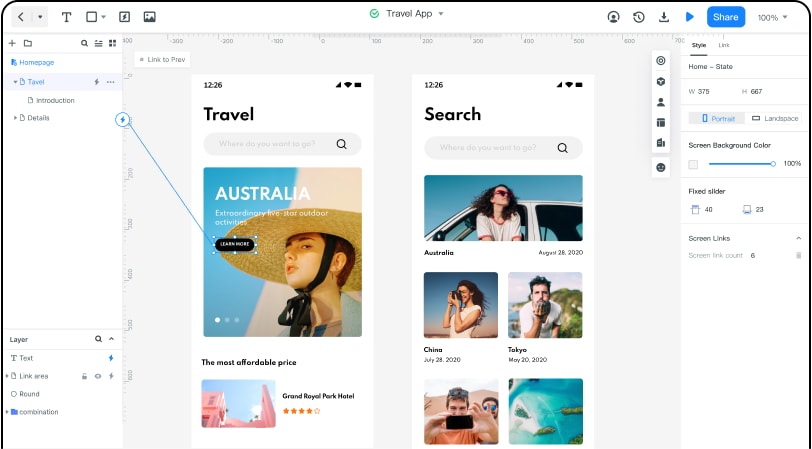
A shared prototype gives designers and developers a reference for slide content, layout, and interaction. It supports design review; it does not remove the need to implement and test the component.
Share the prototype with the team and gather feedback on the intended behavior. Use the handoff information as a design reference, alongside requirements for navigation, keyboard operation, focus, and any autoplay controls.
Create the Carousel Prototype
Step 1. Sign Up
First, you need to visit the official Mockitt website and create a free account.
Step 2. Create a Project and Select the Size
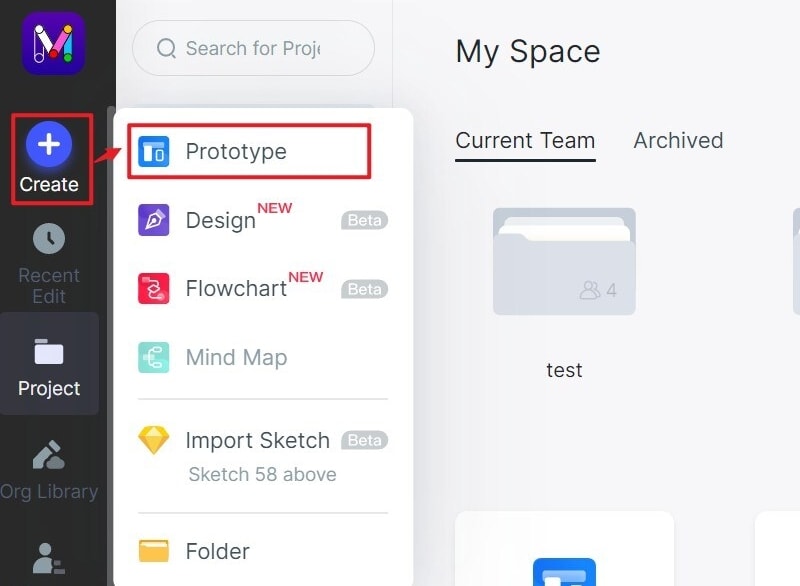
Once you have created your account, you will be redirected to the dashboard where you will see "Create" > "Project".
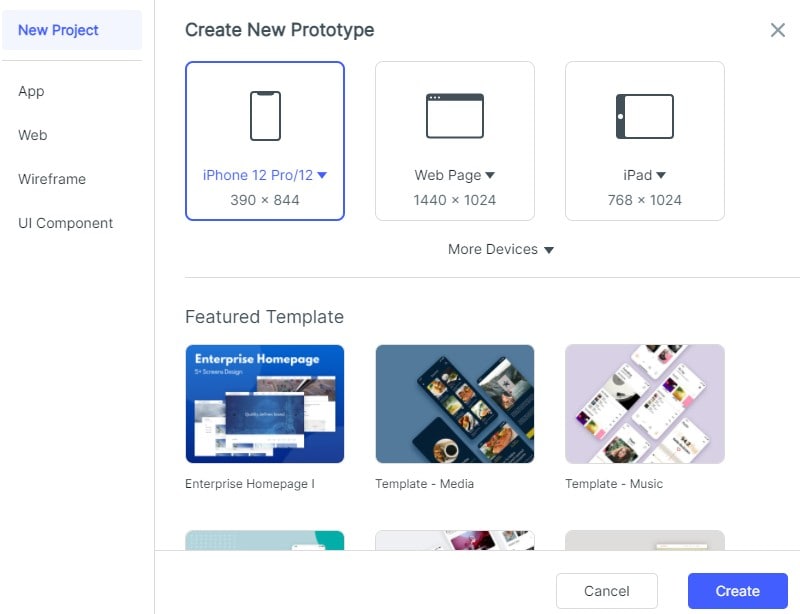
Now you have to name your project and select the device you want to create the carousel for. You could select as per your needs.
Step 3. Add a Carousel and Upload Images
A new art-board-like window will appear where you will see various options. Click on the built-in button (cubical icon) and a pop up will appear. Hover down the pop-up windows and you will see a "Carousel" option. Double click on that and it will add a carousel widget on that art-board.
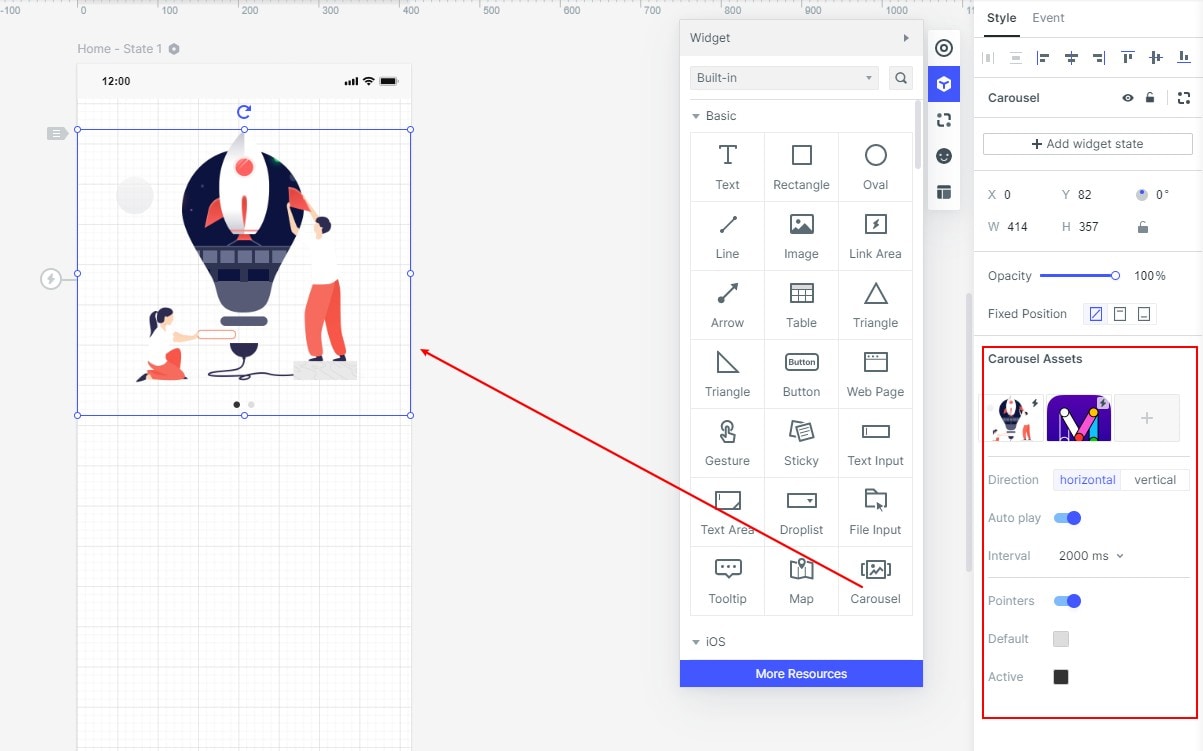
Now decide the size of the carousel by expanding and collapsing it. After that, you will need to upload your preferred pictures. Tap on the carousel widget on the art-board and the upload option will appear on the right-hand side.
Now upload as many images as you want to have in your carousel. To upload more images, just press the plus (+) icon under the "carousel assets section". You could also add text by click on the "Text Input widget". Set the opacity as per your needs and decide the fonts that match your objectives.
Step 4. Prepare the React Development Handoff
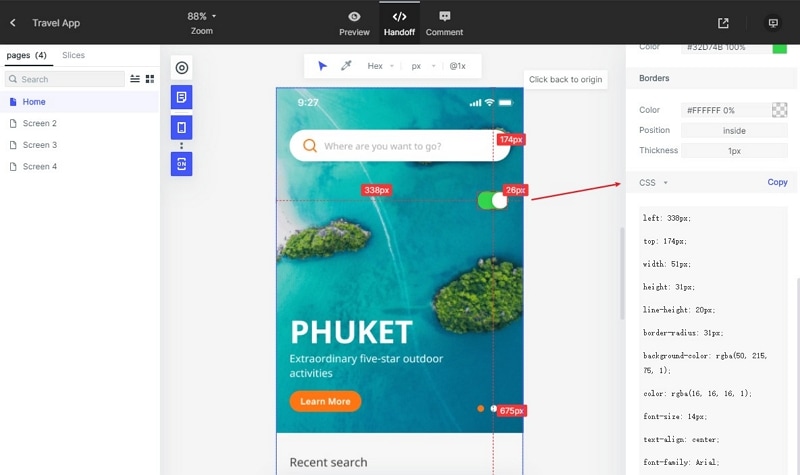
Preview the carousel and inspect the available handoff specifications. Record the slide content, visual styles, control states, and transitions that the implementation should reproduce.
Copy available CSS values as style references. CSS alone does not define a React carousel component: developers must implement the component structure, state, navigation, and accessible interaction, then test it in the intended application. See the design handoff checklist for the details to agree before development.
Implementation Notes After the Prototype
React Native is an open-source cross-application development environment that web developers and designers utilize to build Native mobile applications. It helps you leverage complicated UI items to create cross-platform apps.
React for the web and React Native are different implementation contexts. Choose the intended platform and check the current documentation of any carousel library before adopting it. The prototype steps above do not install or configure a library.
The following notes concern implementation work after design review. Validate performance and behavior in the actual application; a smooth prototype is not evidence that a production component performs well.
1 - Never Forget to Optimize Images
Choose image dimensions and formats for the rendered size, and measure loading behavior on the target devices and network conditions. A CDN is one delivery option; its value depends on the application and hosting setup.
2 - Measure Before Optimizing Rendering
Rendering optimization depends on the component implementation. Measure a performance problem before adding optimization, and consult the current React or React Native documentation for the approach that fits the application. Do not assume that every carousel needs the same lifecycle method.
3 - Learn Native Code
React Native allows you to develop apps for multiple platforms in a short period. However, the extensive library helps you find components easily but there are some scenarios where a developer needs to implement a functionality that's not present in the library. In these cases, you will need to have expertise in core native languages like Java, Swift, etc. That's why it is best to learn the native code to use React Native to its maximum potential.
4 - Reduce IOS and Android App Size
The majority of the developers utilize core library and external components for their projects, which increase the application size. This impacts the loading time and performance of the application. That's why it is important to follow specific guidelines to reduce the application size. While creating Android apps, you could reduce the graphics size and enable Proguard. On IOS, this is a bit complicated but there are some workarounds that you could do to optimize the size.