MockingBot Is Now Mockitt

MockingBot was upgraded to Mockitt, bringing a redesigned workspace, project organization, richer interactions, and shared design resources. If you arrived here through an old bookmark or tutorial, mockitt.com is the current place to explore the product and start new work.
Returning with an old account or project? Keep your account email, project links, and purchase records ready, then follow the guidance below.
What changed from MockingBot to Mockitt?
The original upgrade focused on the work around a prototype as well as the screens themselves: organizing projects, expressing behavior, reusing assets, and gathering feedback.
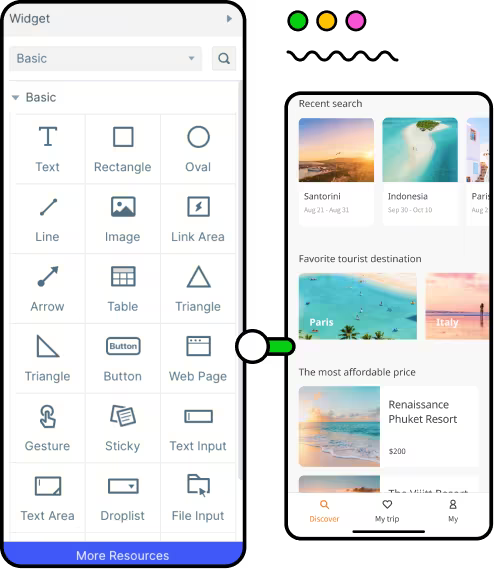
A redesigned editing workspace
The upgrade introduced a new interface for building wireframes and prototypes with ready-made widgets and icons. The practical benefit was a clearer place to assemble screens and refine a design. Historical screenshots below show that version; today's editor has continued to evolve.
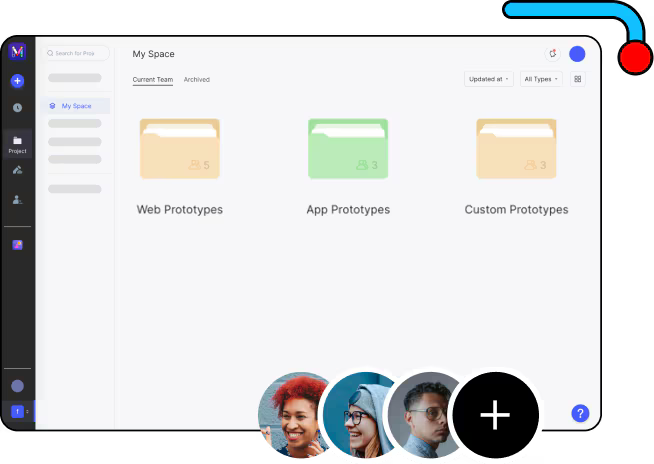
Project folders and team permissions
The announcement introduced folders for organizing projects and permissions for specific team members. These address two different needs: folders help people find work, while permissions determine who can access it. For a team returning to an older project, identify its owner and workspace before arranging a new review.
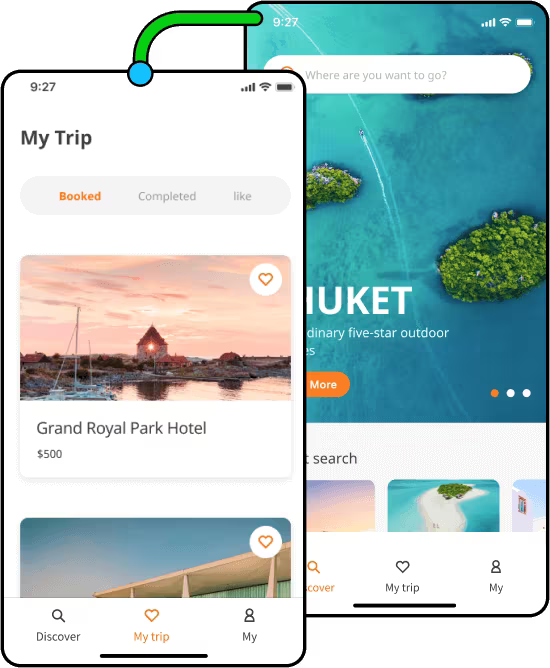
States and interactive behavior
Expanded state interactions let designers describe changes within screens and widgets. A selected tab, an expanded panel, or a changed button state can communicate behavior that a static screen leaves ambiguous. Review the transition as well as the final appearance: what triggers the change, what the user sees, and how they return.
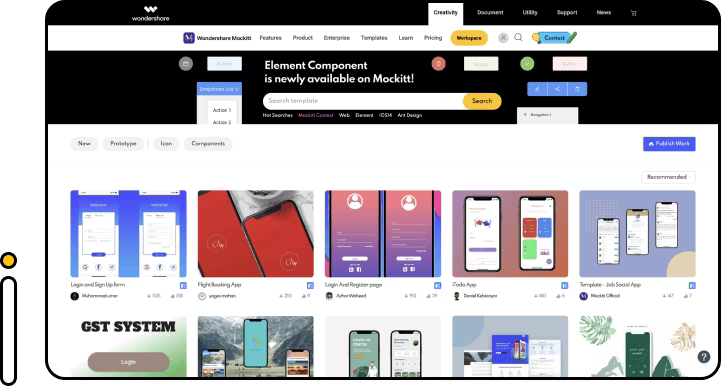
Reusable resources and templates
The original resource library brought together UI elements, icons, components, pages, and prototype templates. Reuse is most helpful when the same pattern appears across a flow. Start with a relevant pattern, then replace its sample content and adapt its states to the task you are designing.
Shared reviews and presentations
The upgrade also emphasized feedback, presentation, and sharing controls. A useful review begins with a task—such as completing signup—so reviewers can discuss navigation and behavior in context. Decide who needs to edit and who only needs to review before distributing a project link.
Where should you start today?
For new work, explore Mockitt's online prototyping tool. The current product supports reusable components, clickable user flows, dynamic states, preview, and shared feedback. Build one short flow first, check its interactions, and then invite the people who need to review it.
If you are returning to MockingBot work, keep any project links, exports, screenshots, and order records you already have. Use them to identify the work you need to recover or continue.
Get help with a MockingBot account, project, or license
Email support@mockitt.com with the details that match your question:
- Account access: the email address used for MockingBot and the sign-in problem you encounter.
- Project access: the project name, owner or team, and any existing project or share link.
- A paid license: the purchase email and order reference, together with the access you are asking about.
Support can use these details to check the legacy record and explain the available next steps.
Frequently asked questions
What is the relationship between MockingBot and Mockitt?
Mockitt is the official upgrade of MockingBot. The transition introduced a redesigned interface and expanded prototyping, project-management, resource, and collaboration features. Use the current Mockitt website for new work.
Can I use my old MockingBot account?
Contact support with your original email address and the sign-in problem you encounter. Support can check the legacy account and help you identify the next step.
Can I transfer my MockingBot projects to Mockitt?
The original notice said MockingBot projects could not be transferred as part of that upgrade. For an existing project today, send its identifying details to support to check the available options. Keep any exports or copies you already hold.
Can I transfer a paid MockingBot license?
The original notice directed paid users to support for license-transfer requests. For a legacy purchase, support needs to check the order and its applicable terms before confirming eligibility or access.
Should new users choose MockingBot or Mockitt?
Start with Mockitt. Use the current product pages to explore its tools and the current Mockitt plans to check pricing and access options.