A Contact Us page should help someone reach the right team and understand what happens next. Use Mockitt’s online prototype editor to review the inquiry choice, form, validation and confirmation together. A contact visit may concern support, a complaint or a partnership; it is not automatically a sales lead.
Plan the contact task before styling the form
Start with the information a visitor needs:
- A visible route from the shared navigation or footer.
- The appropriate contact channel, with accurate availability information.
- A short form whose heading explains the kind of inquiry it accepts.
- Alternative routes only where they are maintained and genuinely useful.
- A button label that states what submitting the form does.
- Clear errors and a confirmation that distinguish sending from successful receipt.
- An explanation of any personal information requested and a relevant policy link.
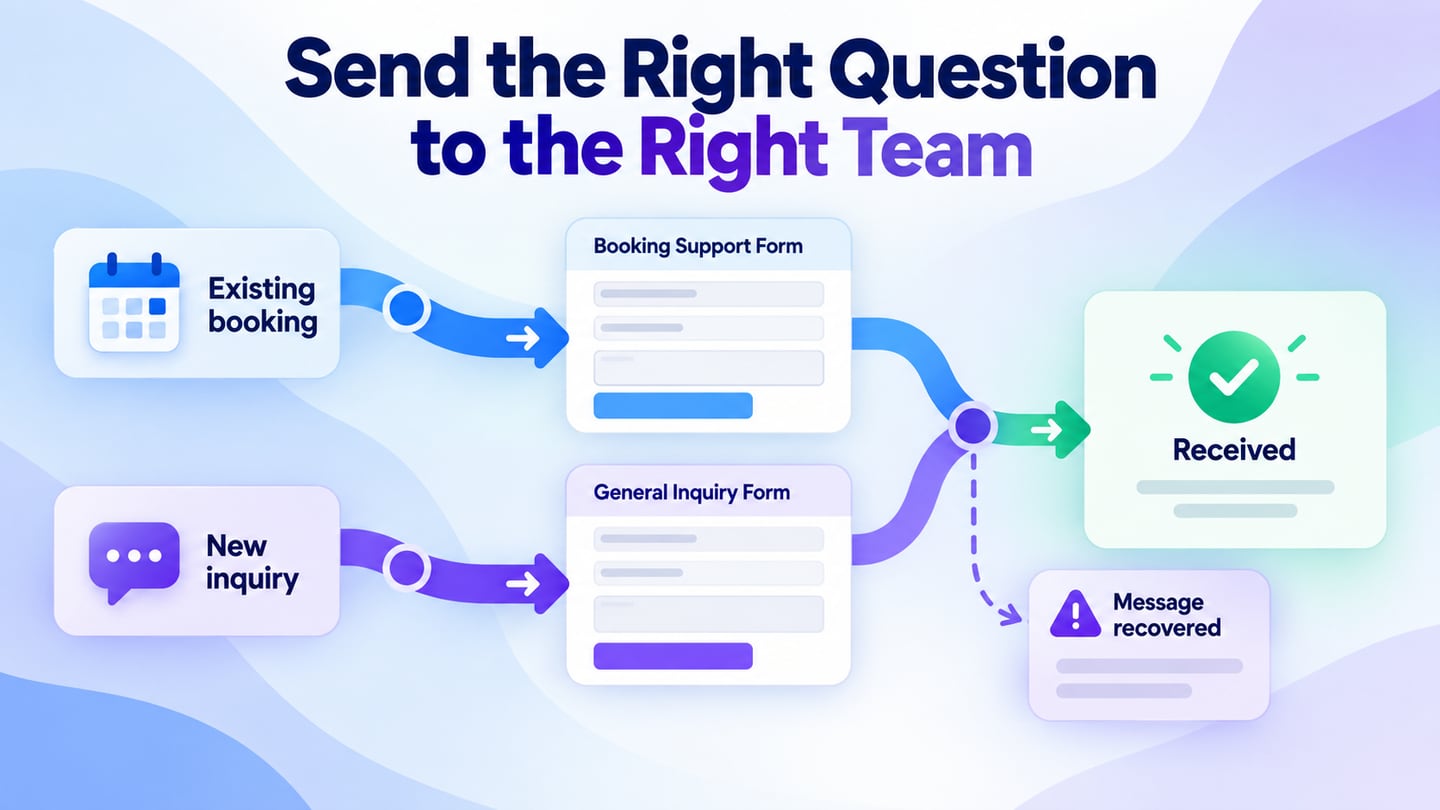
Write down the routes first. Existing-customer support, new-business inquiries and press requests may need different fields and destinations. Avoid making the visitor choose from internal department names they do not understand.
In a prototype, use realistic field labels and connect the states a reviewer must experience. The purpose is to inspect the workflow, not to imply that a simulated form has sent a real request.
- Lay out the inquiry selector, contact details and the form with a logical reading order.
- Connect the initial state to an incomplete submission and a corrected submission.
- Record the behavior required for error messages, focus and the final confirmation.
- Reuse consistent field and button patterns, but keep the questions specific to the inquiry type.
- Share the flow with the team receiving the messages and check whether the requested details are actually necessary.
- Review the routing and the required information with the team that will receive the request.
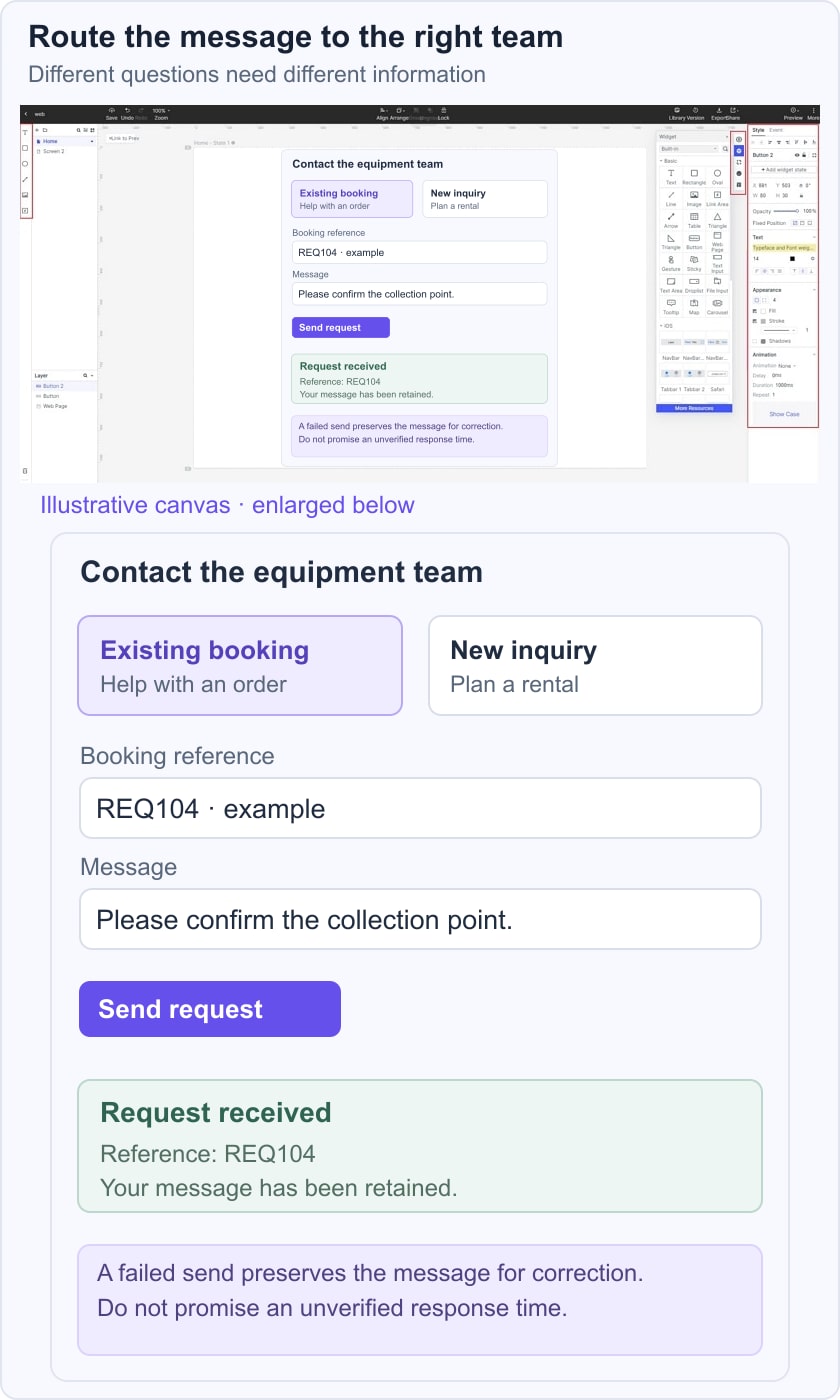
For an illustrative equipment-rental service, offer “Existing booking” and “New inquiry.” Existing booking asks for a booking reference and a message; New inquiry asks for the planned date and equipment type. Both require a reply address. After a successful submission, show “Your request has been received” and a reference such as REQ-104, without promising a response time the team has not agreed to.
Test a missing email address, an unknown booking reference and a network failure. Keep the message text available while the visitor corrects the problem. The W3C form-label guidance explains why visible, associated labels matter; placeholders alone should not carry the whole instruction.
Ten historical contact-page references and their lessons
#1: Stripe
The Stripe reference combines a form with an explanation of the business offering. That can help a prospective customer understand why they are being asked for particular details. Keep the sales route distinct from support, however, and do not let persuasive copy obscure how an existing customer gets help. Test whether the form heading makes its scope obvious before someone begins typing.
#2: Basecamp
The Basecamp reference highlights a personal support tone and expectations about a reply. A response estimate is useful only when the team can maintain it. Do not copy another company’s promise into your own page. State working hours or the next step accurately, and make a delayed response understandable without claiming to provide the best service in the industry.
#3: Blue Bottle Coffee
The Blue Bottle Coffee reference emphasizes a simple form and direct contact information. A restrained layout can make the task clear, provided the channels have distinct purposes. Keep a newsletter subscription separate from a service request; entering an email to obtain help should not be confused with opting into marketing. Verify that the listed address and email route are maintained.
#4: Yeti
The YETI reference groups common service topics before direct contact. This can help visitors choose the appropriate route, but category links should not become barriers. A visitor whose issue does not fit the listed topics still needs a clear next step. Icons can support the labels, while the words explain whether the destination is warranty help, order support or a general inquiry.
#5: ban.do
The ban.do reference uses an expressive brand style around a contact form. A playful voice can remain compatible with precise instructions. Keep field labels, required indicators and errors readable against decorative backgrounds. Do not rely on animated phones or a color change to tell someone whether the message was sent; the confirmation must communicate the result explicitly.
#6: Let's travel somewhere
The Let’s Travel Somewhere reference uses a personal, postcard-like invitation. A personal contact page still needs to explain the type of contribution or inquiry accepted. Describe any submission requirements before asking the visitor to compose a long message, and avoid implying that a named person is immediately available. Provide a fallback if a pop-up form cannot be opened.
#7: SquareSpace
The Squarespace reference organizes contact by purpose. Topic cards can reduce confusion when they use the visitor’s language. Their descriptions must be available on touch devices and through keyboard focus, not only on mouse hover. Test whether someone who does not know the company’s departments can choose the correct card, and retain a route for questions outside the main categories.
#8: Wendy's
The Wendy’s reference presents several communication channels. Multiple options are useful when their differences are clear: availability, expected purpose and the information required. Do not show a chat option as available when no conversation can begin. Keep complaint or feedback content intact if the visitor changes the selected route, and avoid promising a channel that the current service does not support.
#9: Urban Influence
The Urban Influence reference combines a form with address and contact details. This gives the visitor a choice, but the form and map should not compete for the first position when the primary task is sending a message. A readable address remains useful if a third-party map fails. Make map loading secondary where it would otherwise slow the initial contact task.
#10: Brandaffair
The Brandaffair reference uses a compact layout and a sentence-like form. This can be distinctive, but controls still need proper labels and clear boundaries. Test the reading order, text enlargement and longer input values before assuming the compact view works on mobile. A form that looks like a fill-in-the-blank sentence must remain understandable to assistive technology.
Validate the complete flow before publication. The W3C guidance on form notifications covers feedback about errors and successful submission. Check that the server outcome matches the displayed confirmation, and do not clear the form after a failed request.
Review the page with the receiving team
Run one sales inquiry, one support issue and one message that does not fit the categories. Confirm the recipient, the necessary fields and the fallback route. Record who maintains contact details and any response expectations so the page does not become inaccurate after a staffing change.
Link relevant self-service answers from a maintained FAQ page, but keep human contact available when those answers do not resolve the problem. Coordinate the organization description with the About Us page and keep the contact label consistent in the site footer.