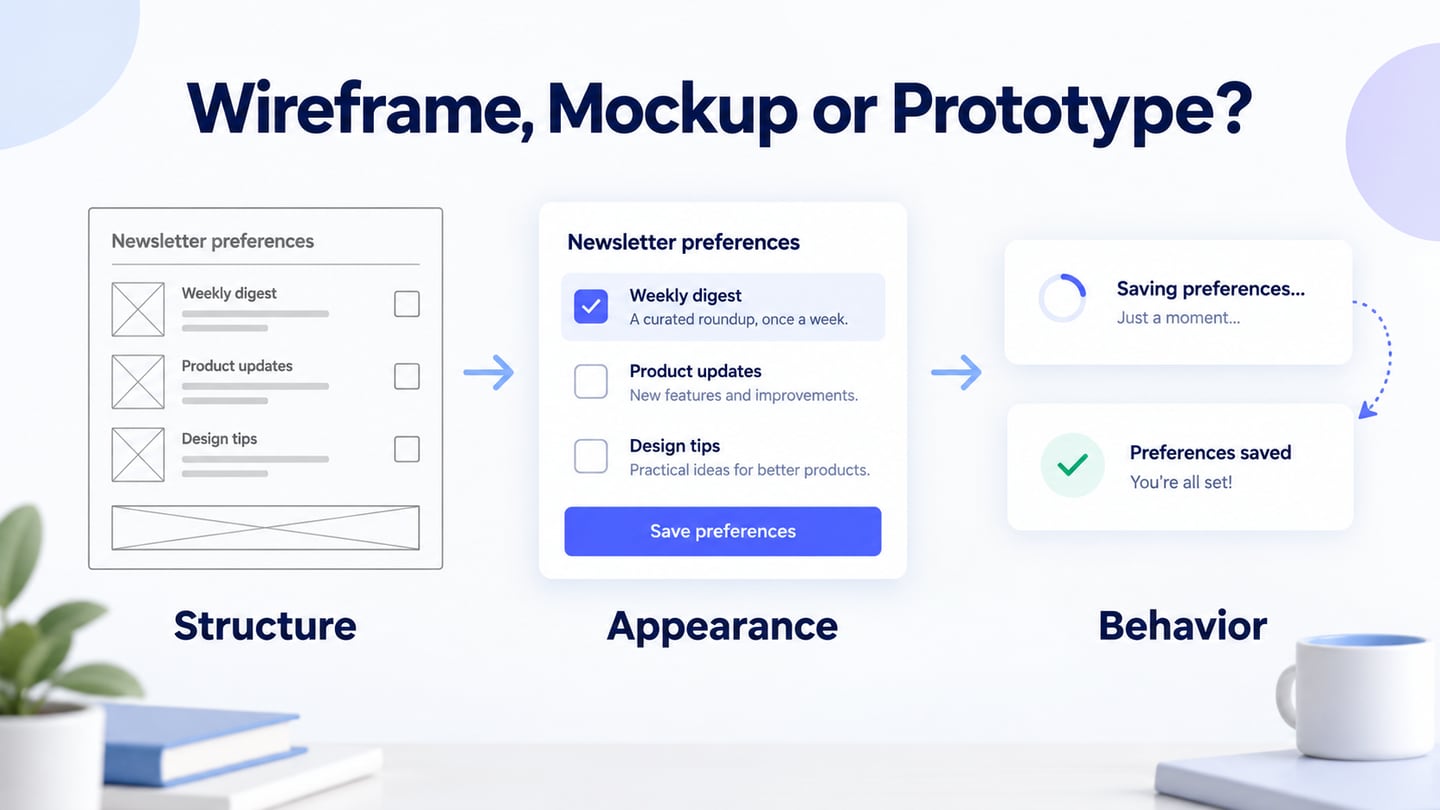
Wireframes, mockups and prototypes help product teams make different design decisions. A wireframe emphasizes structure, a mockup emphasizes appearance, and a prototype lets people explore a proposed behavior or task. The boundaries overlap: a plain wireframe can become a clickable prototype without becoming a polished mockup.
Choose the deliverable by the uncertainty you need to resolve. You do not have to complete all three in a fixed order. A detailed visual treatment is unnecessary when the question is where a setting belongs, while a static image cannot demonstrate what happens after a person changes it.
The seven-dimension comparison below follows a fictional newsletter-preference task through the three deliverables.
Wireframe vs. Prototype vs. Mockup
Use the following working definitions when agreeing what to review:
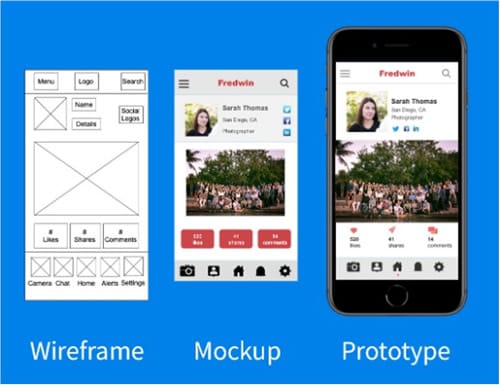
Wireframe: a representation of content, navigation and controls that emphasizes structure. It may be a rough sketch or a more detailed layout.
Prototype: a representation used to explore a task or behavior. It can be paper-based, clickable or coded, and its visual detail can be low or high.
Mockup: a visual representation of a proposed screen, often showing typography, color, imagery and spacing. Interactivity is not required.
These labels describe an emphasis, not a guarantee of completeness. The retained comparison image illustrates different representations of a screen; a picture of a phone does not prove that the depicted prototype works.
Seven Practical Differences
| Point of difference | Wireframe | Prototype | Mockup |
|---|---|---|---|
| Purpose | Review structure and content | Explore a task or behavior | Review visual treatment |
| Fidelity | Usually restrained visual detail | Low, medium or high, depending on the question | Often visually detailed |
| Behavior | May be static or connected | Selected behavior is simulated or implemented | Usually a static visual proposal |
| Skills | Content and layout reasoning | Task, state and interaction reasoning | Visual hierarchy and component design |
| Resources | Paper or a visual editor | Paper, a prototype tool or code | A visual-design medium |
| Time needed | Depends on scope and detail | Depends on states and behaviors included | Depends on visual scope and iterations |
| When useful | Whenever structure is uncertain | Whenever behavior needs investigation | Whenever appearance needs investigation |
Decide which row matters to the review instead of treating high visual detail as a universal upgrade.
Part 2. When should I use wireframes?
Use wireframes to discuss the basic layout and structure before committing to visual treatment. They are useful for comparing competing arrangements and making the intended content visible to people across the team. A rough sketch still needs understandable labels and a clear question.
Wireframes can be used for the following reasons:
- Show a proposed content hierarchy without implying that the visual treatment is final.
- Identify missing information, unclear labels and competing actions.
- Compare different structures using the same task and sample content.
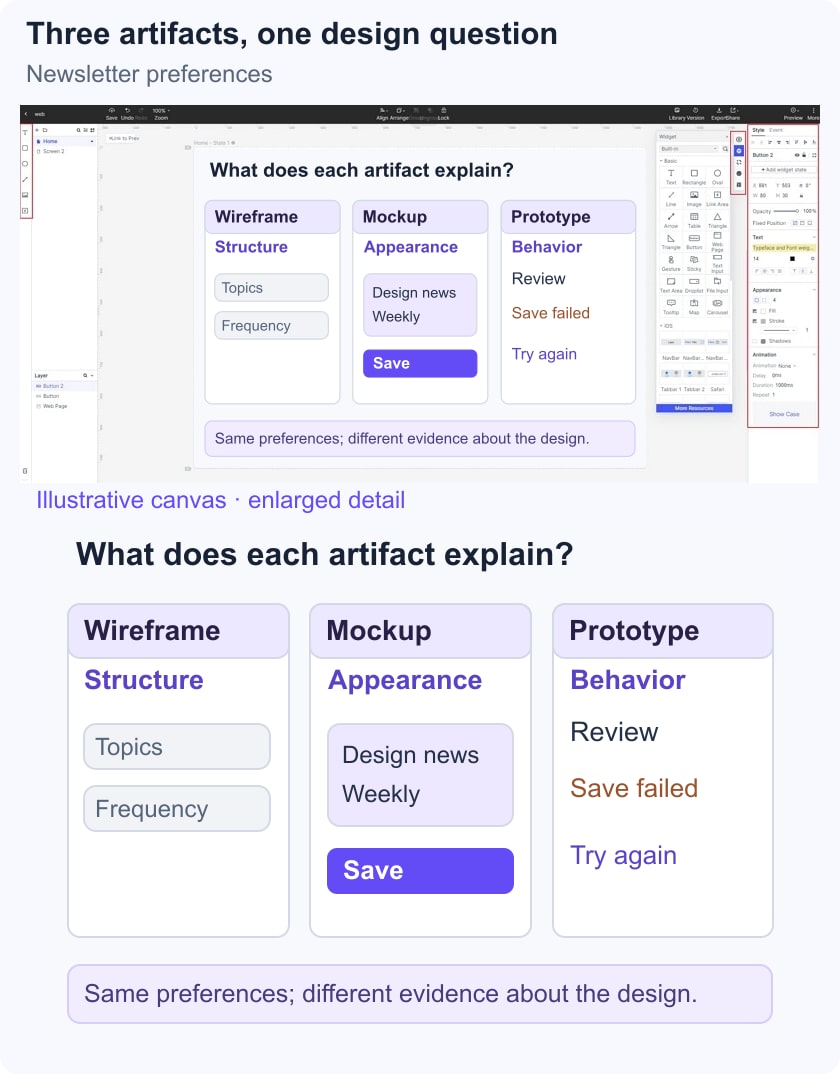
For newsletter preferences, a wireframe can compare grouping by topic with grouping by delivery frequency. Ask where someone expects to change a weekly digest; no animation is needed to investigate that placement question.
Part 3. When should I use prototypes?
Use a prototype when the question depends on what happens before and after an action. Prototyping can start early and continue throughout development. It is not reserved for a final usability check, and a prototype does not need polished visuals to reveal a confusing route.
Here are some reasons to use prototypes:
- Observe how people attempt a defined task.
- Review proposed behavior, including correction and return paths.
- Gather feedback on a specific interaction rather than a general preference.
- Demonstrate a concept while explaining which responses are simulated.
For the newsletter task, connect Preferences, Review changes and Changes saved, plus a failed-save state. Ask what the person believes is active after each state. A connected path can demonstrate intended behavior, but a live persistence or delivery test belongs to the implemented service.
Part 4. When should I use mockups?
Use mockups when the decision concerns visual hierarchy, typography, color, imagery or component consistency. They can be created at different points in the process. A polished screen is still a proposal and does not establish that the underlying interaction is usable.
Mockups can be used for a variety of reasons, some of which are
- Inspect the visual distinction between the main action and secondary choices.
- Compare typography, spacing and component treatment with realistic content.
- Discuss consistency across related screens.
- Identify visual issues before applying the treatment more widely.
For newsletter preferences, a mockup can show how selected topics, helper text and a save-status message differ visually. Check the actual contrast and text hierarchy; an attractive screenshot alone does not verify accessibility.
Tools and a Short Workflow
Choose a tool for the artifact and review you need. Do not select one solely because it is called a wireframing or prototyping product; examine the relevant creation, sharing and revision workflow.
Examples of different tool roles include:
- Figma: design and prototyping workflows.
- Adobe XD: an existing-project consideration; Adobe describes it as being in maintenance mode.
- Wireframe.cc: a focused wireframing option.
- Miro: collaborative boards and diagram-oriented exploration.
- Mockitt: visual design and connected prototype screens.
- Balsamiq: low-fidelity wireframe composition.
Use Mockitt for the newsletter-preference exercise when you want the layouts and connected review route in one project. Keep the three artifacts focused on their questions rather than duplicating a polished screen three times.
Use the four-step setup below for this exercise. The retained editor images are historical references; current labels may differ.
Step 1: Create a project for newsletter preferences and name the screens by their role.
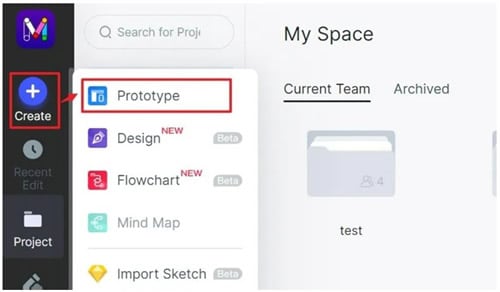
Step 2: Choose the intended viewport and sketch the preference groups with realistic topic names.
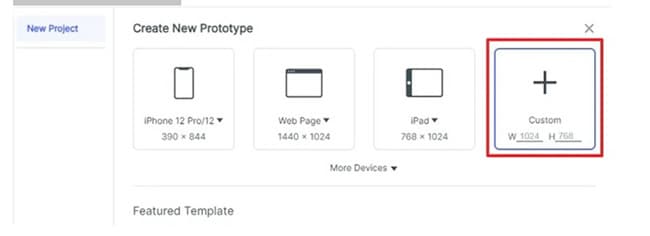
Step 3: Add consistent controls and content. Create a visual-treatment version only if hierarchy or appearance is part of the review.
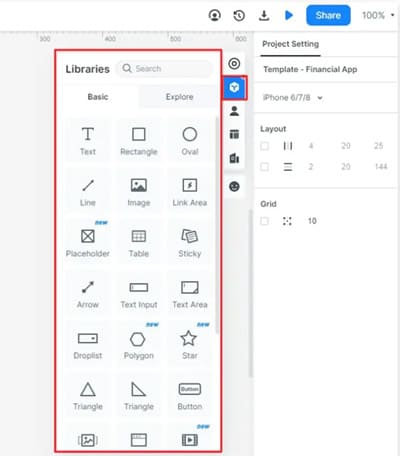
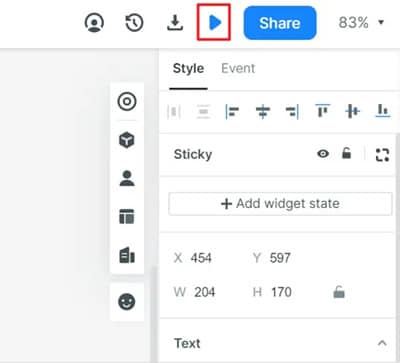
Step 4: Connect the save and failure states, preview the route, and record which decision each artifact helped clarify.
Part 6. Wireframe vs Prototype FAQs
1. Is wireframe a type of prototype?
A static wireframe can be used as part of a paper prototype or connected into a digital prototype. “Wireframe” describes the structural emphasis; “prototype” describes its role in exploring a task or behavior.
2. How to convert a wireframe to a prototype?
Define the starting state, action and result; connect the relevant screens; then add the correction or return route needed for the task. Preview the sequence before observing someone use it. Linking screens alone does not establish that users understand the result.
3. Which Elements Belong in a Wireframe?
Include the content, navigation and controls needed for the question you are investigating. Breadcrumbs are useful in some interfaces but are not a mandatory component of every wireframe.
Record the decision each deliverable supports: where the preference belongs, how its selection appears, and what happens when saving fails. Keep unresolved behavior explicit rather than letting visual polish stand in for a completed specification.
If the comparison is still unclear, start with the smallest artifact that can answer the next question. Add detail when it changes what you can learn.