A UX strategy connects the experience you want to create with the organization’s goals and its ability to deliver it. It helps a team choose which user problems to address, why those choices matter and how it will evaluate progress. The work is broader than choosing an attractive interface or a faster design tool.
What is UX Strategy All About
UX strategy is a plan for improving an experience over time. It links a direction for the product with priorities, evidence and practical decisions about investment. Nielsen Norman Group’s strategy framework emphasizes a vision, goals and a plan for reaching them. A strategy should also make trade-offs visible: what the team will pursue now, and what it will postpone.
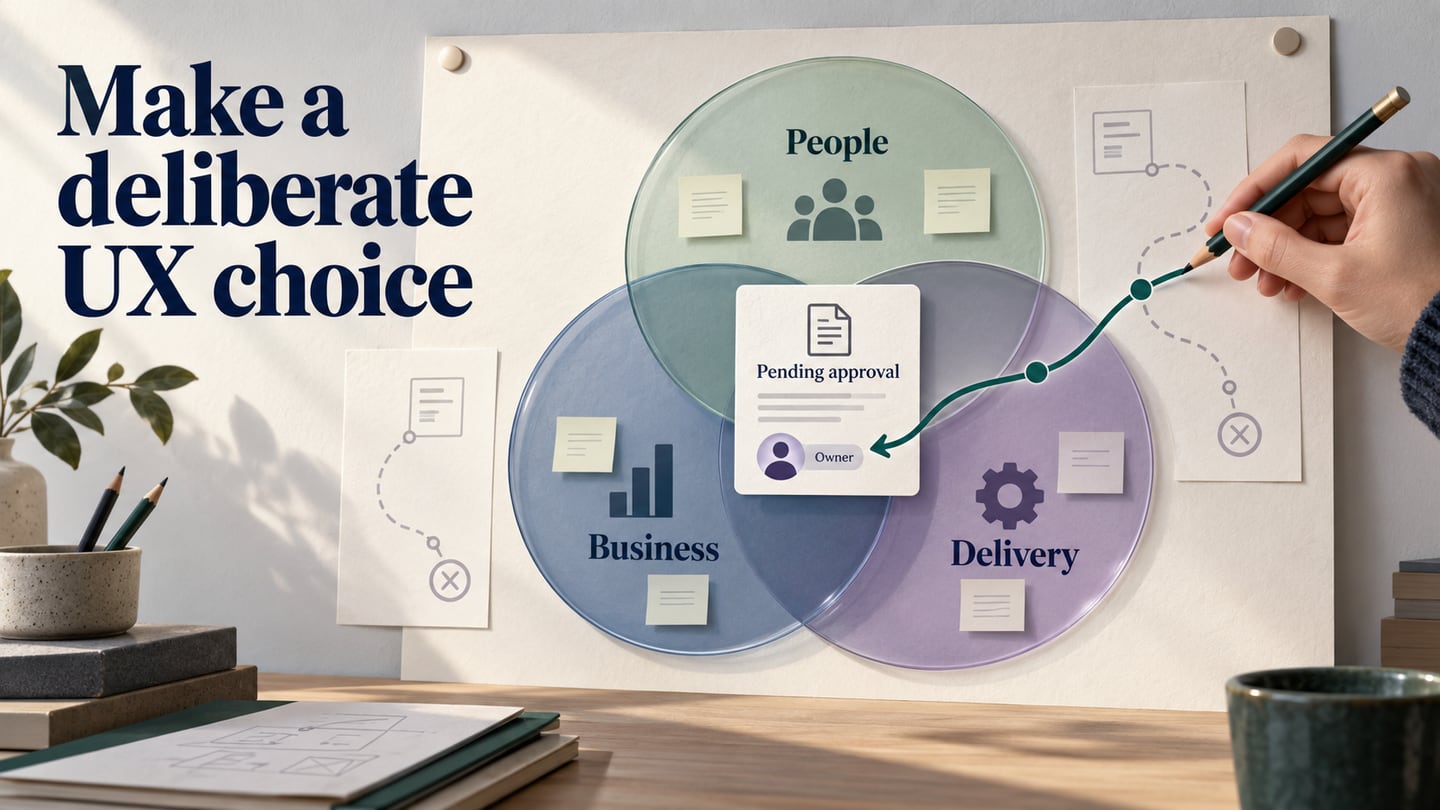
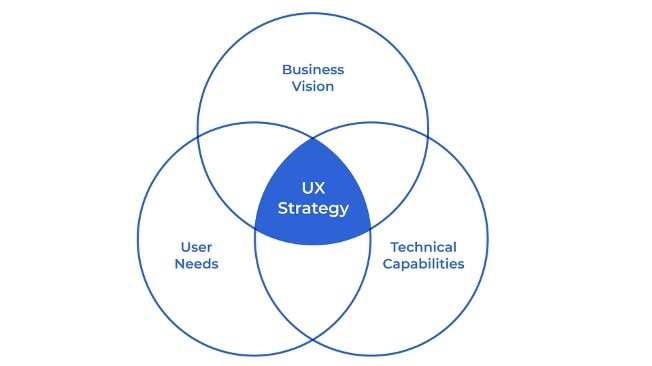
The three lenses below help test whether that direction is grounded in a real problem and can be delivered. They support strategy work rather than define a universal three-part formula.
- User Needs
Understand the tasks, obstacles and expectations of the intended users. In an invoice-approval product, an employee may need to know who must approve an invoice next, not another dashboard chart. Confirm that problem through research and support evidence before deciding on a feature.
- Business Vision
Consider what the organization needs to achieve and the constraints it faces. For the invoice product, a goal might be to make approval responsibility clearer while maintaining existing authorization rules. That goal is more actionable than a general promise to “improve engagement.”
- Technical Capabilities
Check technical capabilities and operational dependencies. If approval status is not available from the existing system, an interface cannot truthfully display it as live data. Work with engineering and finance stakeholders to distinguish a design option from a capability that already exists.
Source: Medium
What's the Need for UX Strategy
A UX strategy can guide decisions in the following ways. These are reasons to do the work, rather than guaranteed outcomes from writing a strategy document.
- It bridges the gap between users and developers
Research helps users, designers and developers discuss the same problem. Summarize the observed difficulty, the affected task and the constraint the team must respect. A shared problem statement is more useful than asking developers to implement a broad request for “better UX.”
- It will create a more valuable product
A strategy helps the team prioritize improvements that address a supported need. It can also reveal that a proposed feature adds complexity without helping the task. Whether the product becomes more valuable still depends on implementation and evidence from use.
- It clarifies where the product should differ
Competitive analysis can reveal conventions, gaps and alternative approaches. Compare the same user task across products and ask which differences matter to your audience. Research informs a choice; it does not guarantee that copying or adding a feature will outperform a competitor.
- It gives the team a way to adapt
A strategy should include conditions for revisiting a decision. A change in customer needs, regulation or the technical platform may invalidate an assumption. Review the evidence and priorities when those conditions change rather than calling a particular design future-proof.
How to come up with an Impactful UX Strategy
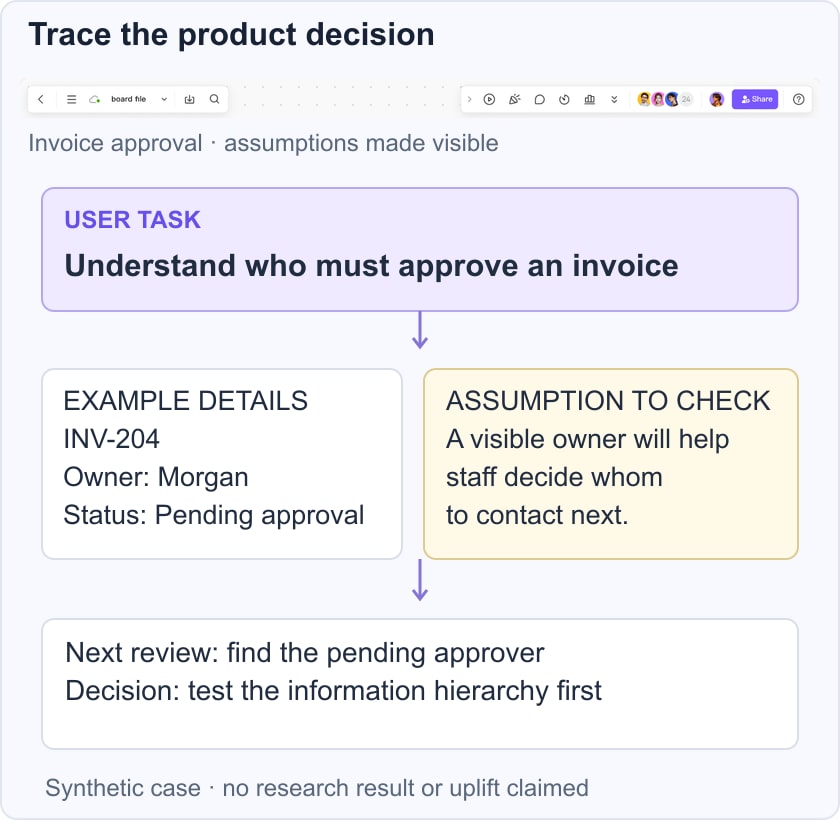
Use these three stages to turn an intended direction into decisions a team can act on. Keep the assumptions visible so they can be checked as the work progresses.
Phase 1: Understand the current experience
Map the current task, supporting evidence and constraints before deciding what to build. For invoice approval, follow one invoice from submission to a final decision. Record where the user loses track of ownership, which status data is available and which questions require more investigation.
- Identifying the requirements of your users
- Analyzing the present business needs
- Performing competitive analysis and market research
- Checking on industry and technical trends
- Keeping a note of your past work and checking its feedback
Phase 2: Set up Feasible Objectives
Set objectives that connect the user problem to the intended business result. For example, the design objective can be that employees can identify the next approver and the reason for a delay. Define how to assess that task before choosing a numeric target; do not invent a baseline or promise an unmeasured reduction in processing time.
- Describe the intended experience and the problem it should address.
- Prototype the highest-risk assumption instead of treating a prototype as proof that the strategy works.
- Check that the proposed service responds to the researched need and respects operational constraints.
- Choose an evaluation method and assign an owner to collect evidence and revisit the decision.
Phase 3: Work on Implementing the UX Strategy
Translate the objectives into an ordered set of design and delivery decisions. In the invoice example, make approval responsibility visible before adding another reporting chart. Record the alternative you postponed, why it can wait and what evidence would change that choice.
- Build and test the part of the interface that addresses the selected problem.
- Reuse an existing pattern when it supports the task; change it when evidence shows a mismatch.
- Account for differences between roles and domains rather than assuming one screen fits everyone.
- Resolve tensions between user needs and business constraints explicitly.
- Include the environments and accessibility needs relevant to the audience.
- Review prototypes with users, then verify the implemented behavior before release.
How to Improve your UX Strategy with a Designing Tool
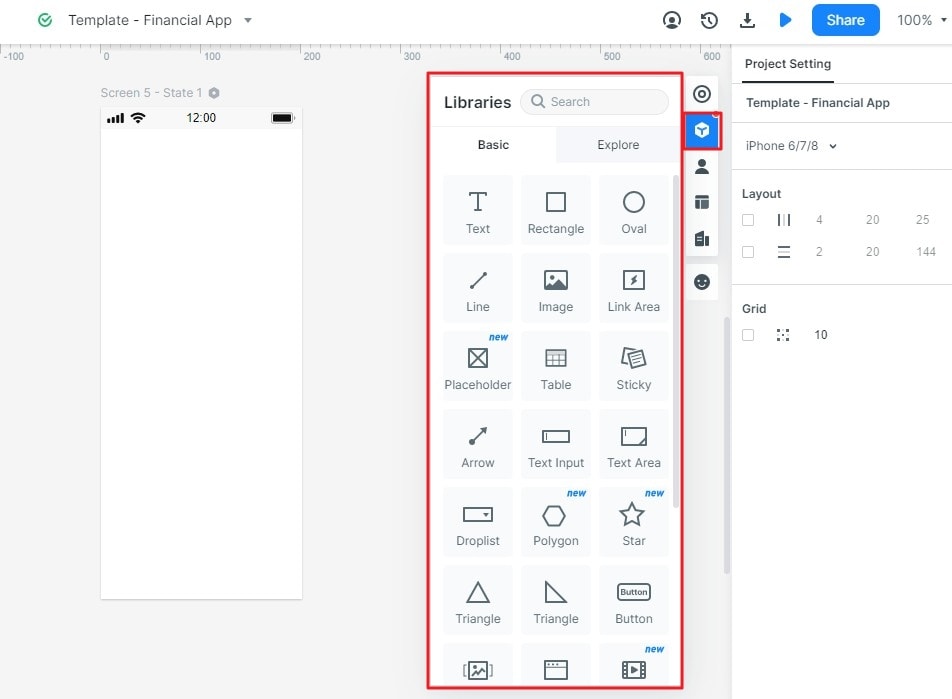
A prototype helps make a strategic choice concrete enough to discuss. Mockitt can support that discussion through editable screens, linked interactions and shared review. The tool represents a proposed experience; it does not choose business priorities or validate the underlying service.
- Use available widgets and reusable assets to sketch the information needed for the task.
- Create and review browser-based prototypes, checking current plan limits for your project.
- Share the work with the people responsible for design and implementation.
- Link screens and represent states to explore a proposed interaction.
- Confirm the sharing and handoff options available in your workspace before committing to an export-based process.
The following steps keep the prototype tied to the strategy question. The retained screenshots show earlier Mockitt interfaces; control positions may differ in the current workspace.
Step 1: Set up a new project
Create a project for the approval-status question and name the relevant screens. Define the role being represented and use synthetic invoice information so reviewers do not mistake the example for real financial records.
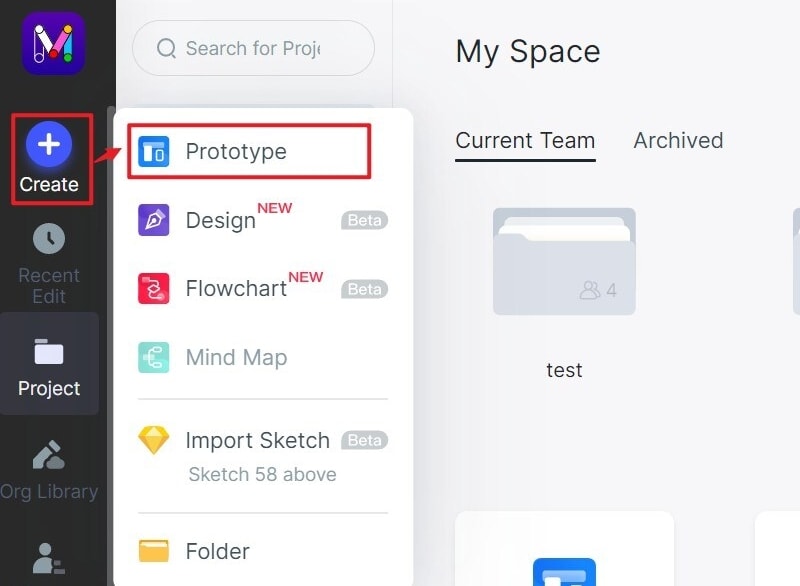 Earlier interface examples below illustrate the basic workflow; current control locations may differ.
Step 2: Start working on your designs
Add the interface elements needed to discuss the decision. Place the approval owner, due date and current state beside the invoice. Include a View approval history action only if that information is part of the intended service. Compare this layout with the current experience and ask whether the user can now identify the next step without contacting support.
Step 3: Link different screens
Connect the invoice row to its details and the details screen to the approval history. Choose the screen or widget that triggers each action, then use the linking controls available in your project.
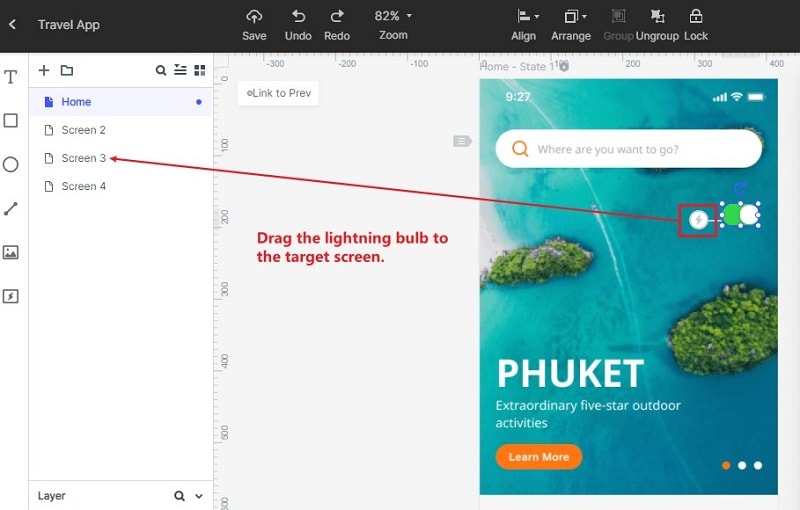
Include a state for unavailable approval information. A blank field can look like a missing owner; a deliberate message should explain whether the information is loading, unavailable or not yet assigned. Record the service rule that determines the state.
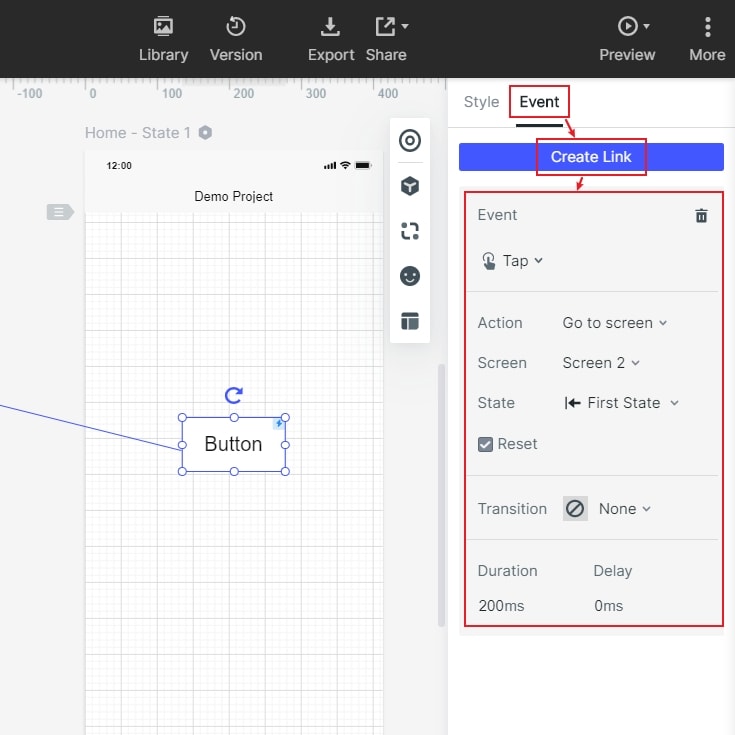
Step 4: Preview, review and hand off the decision
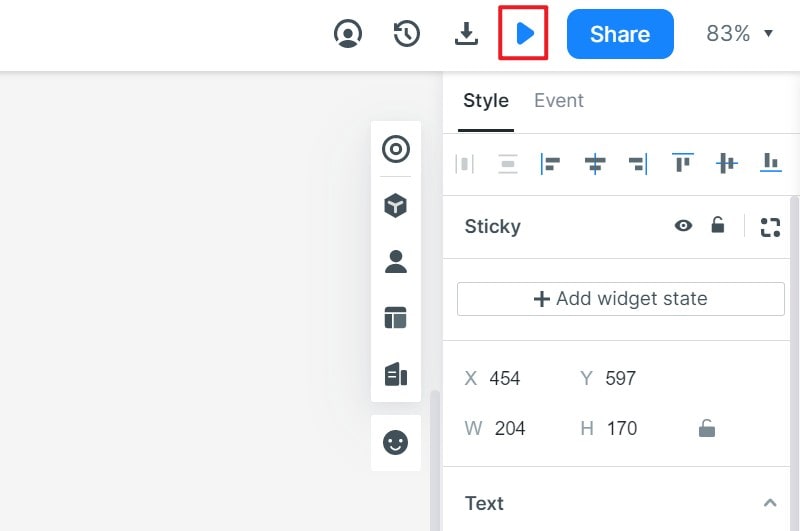
Preview the proposed flow and give reviewers a task, such as finding who must act on invoice INV-204. Capture whether they can answer it and what information they still need. A successful click-through alone does not establish that the entire strategy is sound.
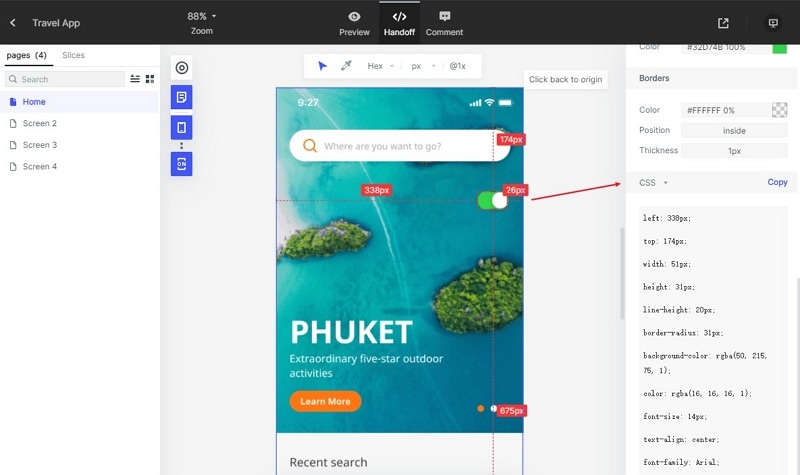
Share the reviewed design with the implementation team and identify unresolved data, permissions or workflow rules. Inspection and export options can support handoff, but they do not produce a complete production service. Keep the design decision, evidence and acceptance criteria together.
A practical UX strategy makes it easier to explain why a particular improvement comes first and how the team will know whether it helped. Revisit the goals and assumptions as evidence arrives; the prototype is one way to examine the choice, not the strategy itself.