Sociology studies how people live and act within groups, institutions, and social relationships. For a UX team, it helps explain why an interface that appears easy to use can still fail in everyday life. A person may need a manager's approval, share a phone with someone else, or avoid an action that reveals private information to coworkers.
The practical benefit is a better account of the task: who is involved, which rules apply, who can make a decision, and what happens outside the screen. Sociology does not replace usability testing. It gives the team questions that a test of buttons and navigation alone may miss.
When those relationships are complicated, map roles, rules, and handoffs in Mockitt's online whiteboard before turning them into screens. Keep observations separate from assumptions so a neat diagram does not make an untested explanation look like a finding.
What is sociology?
Sociology examines social interaction at different scales, from conversations and families to organizations and wider institutions. It asks how shared expectations, resources, relationships, and power shape what people can do. OpenStax's introduction to sociology explains this connection between individual experiences and the groups around them.
The field became an academic discipline in the nineteenth century. Auguste Comte helped establish its terminology; the history of sociology dates his reintroduction of the term to 1838. The study of social life extends much further back and is not the work of one person or one tradition.
Three concepts are especially useful when examining a digital service:
- Roles: the responsibilities and expectations associated with a position, such as employee, supervisor, parent, or customer.
- Norms: shared expectations about behavior. A team might expect a fast reply even when an application allows people to respond later.
- Institutions and structures: the rules and arrangements that shape access and choices, such as employment practices, school procedures, or eligibility requirements.
These concepts describe questions to investigate, not fixed traits to assign to people. Two employees with the same job title may have different schedules, access needs, support networks, and freedom to decline a request.
Where social sectors fit
Education, healthcare, housing, and community support are common settings for this work. Public agencies, nonprofits, and private organizations can all deliver services in these areas. The label “social sector” varies by context; it does not mean that every organization has the same mission or that every service produces an equitable outcome.
For designers, the concrete question is how the service actually works. A school application might depend on a parent's documents, a student's access to a device, and a staff member's verification. An individually usable form can still exclude someone if those dependencies are invisible.
An everyday example: the meaning of a tea break
A cup of tea can be a drink, a routine, or an opportunity to spend time with others. The sociological question is not whether everyone drinks tea for the same reason. It is what the shared activity means in a particular setting.
Consider a workplace where people gather in the kitchen each afternoon. Who starts the break? Can everyone leave their station at that time? Do remote employees miss informal updates? Does a new colleague know that joining is welcome? The same routine may support connection for some people while leaving others outside the conversation.
To investigate, observe the routine with participants' agreement and ask what it means to them. Do not infer friendship, exclusion, or a health effect from the drink alone. One person's story can suggest a useful question without establishing a pattern across the organization.
The design implication might be modest: important work updates should have a dependable channel beyond the informal gathering. A team chat feature would not automatically solve the problem if only some employees have time, access, or permission to use it. That is the difference between noticing a social activity and understanding the conditions around it.
Five uses of sociology in design and service work
1. Understand cultural context
Investigate how people interpret language, time, authority, privacy, and symbols in the setting where a service operates. Do not treat nationality or age as a shortcut for those answers. For example, test whether “Submit request” means a private draft, a message to a manager, or a final commitment to the people using a workflow.
2. Recognize the team's own assumptions
A design team may assume that every employee has an individual laptop or can check a notification during work. Write down these assumptions and recruit people whose circumstances could challenge them. Self-understanding here means recognizing how the team's own access and routines influence what seems obvious.
3. Separate evidence from an attractive story
“The participant asked a coworker before submitting” is an observation. “The participant lacked confidence” is an interpretation. The person may have been following an approval rule or coordinating a shared responsibility. Ask about the action and look for other explanations before designing a confidence-building tutorial.
4. Examine how policies are experienced
A service policy becomes real through forms, permissions, messages, waiting periods, and appeals. Study who can complete the process and who needs help. When the barrier is the policy itself, changing a button label is insufficient; bring the evidence to the people responsible for that rule.
5. Find coordination problems
Workarounds often connect people, not just screens. Someone may send a screenshot to confirm a decision because the official system does not show its status. Map the handoff, the information being exchanged, and the reason for the workaround before deciding whether to replace it.
How sociology connects to UX research
UX research asks how people encounter and use a product or service. A sociological perspective adds the relationships and arrangements around that encounter. The approaches work together: observing the setting helps identify what to prototype, while usability testing shows whether people can understand and use the proposed interaction.
Choose a research method for the question. Interviews can explore the meaning of an action; observation can reveal the surrounding work; a survey can examine how often people report a pattern. The GOV.UK guide to contextual research describes studying an activity in its normal environment, including the equipment, interruptions, and support involved.
The length and timing of a study are separate decisions from its method. The following three designs organize observations over time; they are not the only ways to conduct sociological research.
Longitudinal research
Follow the same participants or a defined cohort over time. For a workplace scheduling service, a team might return after several scheduling cycles to understand whether an initially confusing approval process becomes familiar or whether the same workaround persists. Plan for people leaving the study and for changes in their working conditions.
Cross-sectional research
Study people or groups during one period. A team might compare employees, supervisors, and scheduling administrators in the same month. This can reveal differences in their experiences, but it does not show how any one person's behavior changes over time. Groups do not have to be different ages.
Cross-sequential research
Recruit multiple groups during one period, then follow them over time and compare their trajectories. A UX team applying this approach could begin with new employees and employees with six months of experience, then revisit both groups after later scheduling cycles. This combines between-group comparisons with change within each group. The research-methodology chapter on sequential designs explains the distinction. The design alone does not establish that a product caused a change; differences between periods and groups still matter.
Worked example: a shift-swap feature
Imagine a team designing a scheduling service for a small retail business. The request is “Let employees swap shifts.” This fictional example shows how social context changes the design questions; it is not a report of customer research or a tested business outcome.
Map the roles and rules before the screens
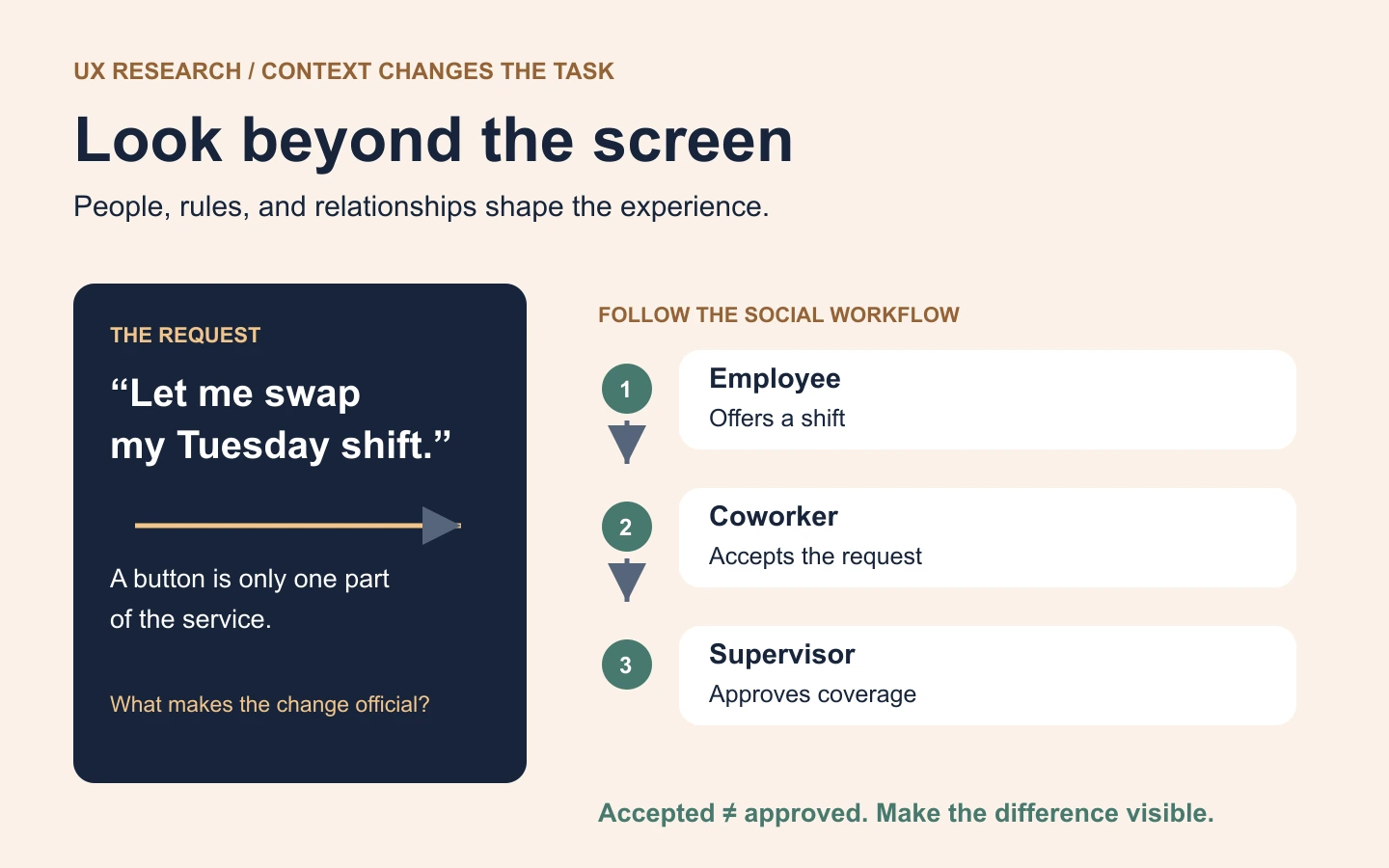
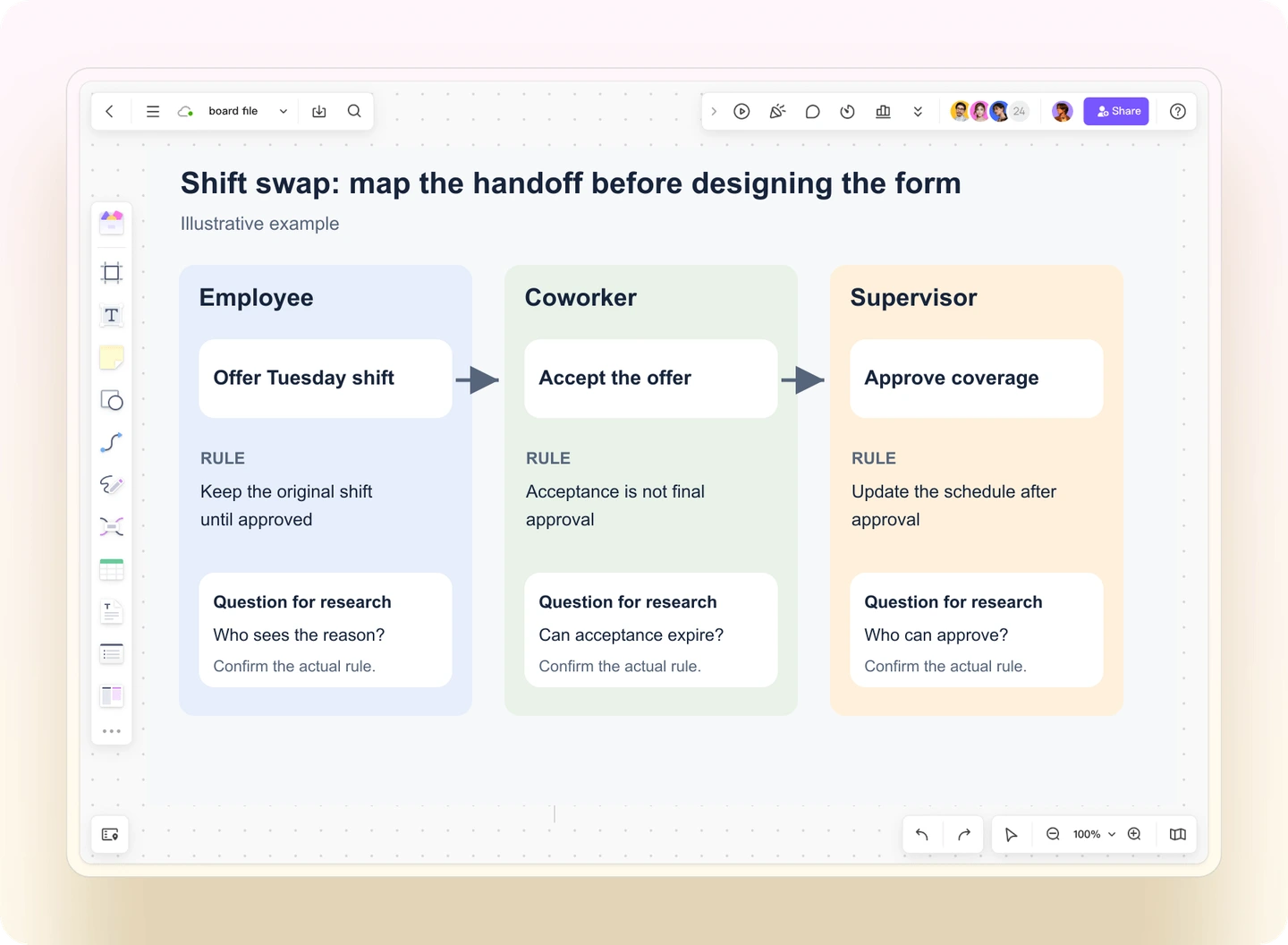
Start with three roles: the employee offering a shift, the employee accepting it, and the supervisor who approves coverage. Record the formal steps and the informal conversation around them. A request may look complete to the first employee while the supervisor still regards it as pending.
On a whiteboard, put each role in a column and connect the handoffs: offer, acceptance, approval, and schedule update. Put the rule beside the handoff it affects, such as “An acceptance does not change the schedule until approval.” Add an unresolved question where the actual rule is unknown. Keep interview notes in a separate area so participants' comments do not become invisible inside the polished diagram.
Ask about a recent real situation
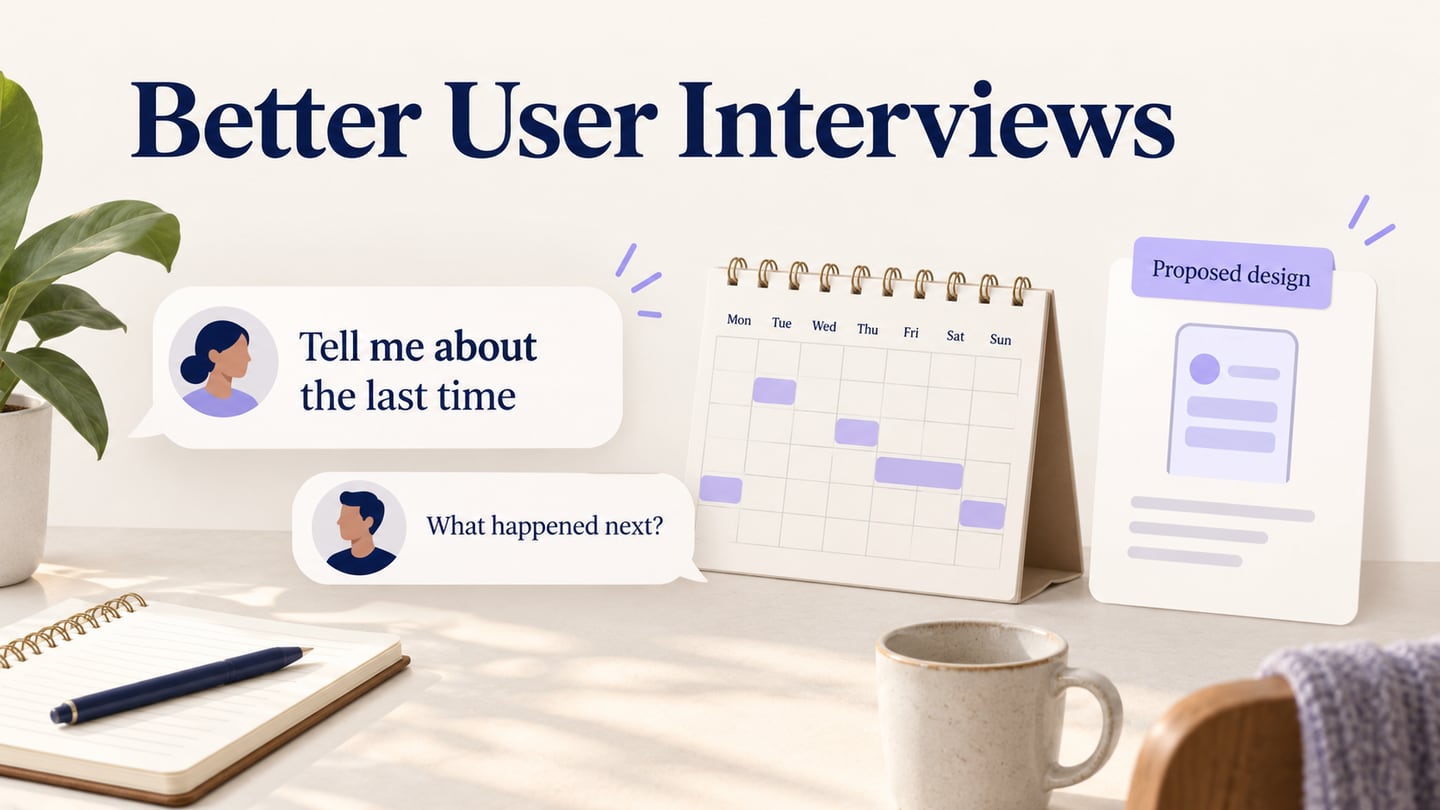
- “Tell me about the last time you needed to change a shift. What happened first?”
- “Who else needed to know, and how did you contact them?”
- “At what point did you know the change was confirmed?”
- “What would happen if nobody could take the shift?”
Recruit across the roles and practical constraints that affect the task, such as shared-device use, different shift patterns, and access to a supervisor. Avoid interviewing employees in front of their manager when that could affect their willingness to discuss a problem. Explain the use of the research and collect only the information needed for the study.
Turn evidence into a design hypothesis
The table shows possible findings and responses. They are examples to investigate, not assumptions about retail employees.
| Possible evidence | Question behind it | Design hypothesis to test |
|---|---|---|
| An employee asks a colleague whether a swap is final. | Which event makes the change official? | Separate “Accepted by coworker” from “Approved and added to schedule.” |
| A participant avoids a public request because it reveals a personal reason. | Who needs to see the reason, if anyone? | Keep the offer focused on the shift; test a separate, limited-visibility field only if the workflow requires it. |
| A supervisor misses a request during a busy shift. | How does the employee learn that action is still pending? | Show the request's status and a useful next step without implying that sending more alerts guarantees approval. |
| Two employees think they have accepted the same shift. | How is competing interest resolved? | Show an unavailable or already-assigned outcome and leave the person's original schedule clear. |
Test what participants believe will happen
Build a small prototype containing the offer, acceptance, pending approval, confirmed change, and unavailable-shift states. Give each participant a role and a realistic task using fictional names and schedules. Ask them to explain who can see the request, whether the schedule has changed, and what they would do next.
Record misunderstandings as well as clicks. Someone may complete the visible task but wrongly believe that a coworker's acceptance is final approval. That is a different problem from failing to find the acceptance button, and it needs a different design response.
A prototype can examine the message and state transitions. It cannot establish that a staffing policy is fair or that a live scheduling integration works. Return the policy questions to the responsible people and validate system behavior during implementation. For planning the sessions and decisions in detail, use the UX research plan template.
Use social context without turning it into a stereotype
Write findings at the level the evidence supports. “Two participants using shared devices could not receive a private notification” is more useful than “Older workers dislike apps.” Keep the observed constraint, the study context, and alternative explanations visible.
Look for people whose experience differs from the emerging pattern, and check whether the research setting influenced the response. A service used at home, on a shared workstation, and during a busy shift may need different support even when the underlying task is the same.
The strongest contribution of sociology to UX is a more complete explanation of the work. Connect a person's action to the people, rules, and resources around it, then test a specific design change. That gives a team something it can investigate and improve without claiming to predict everyone from a demographic label.