Interaction Design vs UX Design, What are the Differences
Interaction design is often mistaken for UX design and vice versa. Both of these terms can be used interchangeably but only to a certain extent. Beyond that extent, their individual meanings don't coincide and must be understood separately.
When we consider interaction design vs UX, we must understand that interaction design is a part or subdomain of UX design. It obviously doesn't cover everything included in UX design, but it is not entirely different from it either.
- Part 1. Interaction Design vs UX Design
- Part 2. Interaction Designer vs UX Designer
- Part 3. The Best Interaction and UX Design Tool
Part 1: Interaction Design vs UX Design
When we consider interaction design vs user experience, given below are the key differences:
- UX design is the mother discipline that encompasses many different things in addition to user interaction
- There is a lot more specificity in interaction design vs UX design
- UX design also involves the overall information architecture of a software
- It also accounts for the specific content used in the product including the text, images and videos
- Interaction design involves human factors mostly – like sound, touch, look, and associated emotions
- UX design also involves user research and content strategies
- UX also involves conduction of usability tests
- Interaction design deals with many different ways in which one specific, practicable form of UX design is implemented
Part 2: Interaction Designer vs UX Designer
When the domains are different from each other, different types of experts are required to perform in them. UX designers have to cover a lot more bases compared to interaction designers.
The main differences in different types of designers include:
- The human experience of the design elements is more relevant for an Interaction Designer vs a UX designer
- UX designers have to decide the content strategy implemented throughout the product
- Interaction design is non-specific – it does not address specific user personas like UX design
- UX designers indulge in extensive user research, unlike interaction designers
- Interaction designers decide events like screen transitions and the way users communicate back and forth with the software
Part 3: The Best Interaction and UX Design Tool
Wondershare Mockitt is an affordable resource that can be used for both purposes - UX and Interactions design. It can help you manage everything from the content in your design to the images and text used.
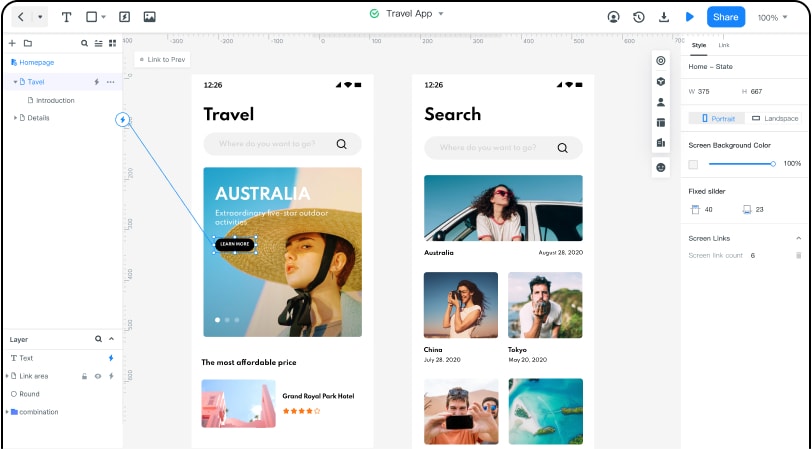
It helps you create low-fidelity wireframes for each part of your design. You can also use it to add timed transitions between different screens – incorporating all 5 interaction design dimensions in your design.
Follow these steps to create your first UX & Interaction design using Wondershare Mockitt:
Step 1. Create a Prototype
After creating a Mockitt account, take a tour of the design interface through a beginner's guide or demo. It teaches you how you can flex your creativity with your design while using different options displayed on the screen.
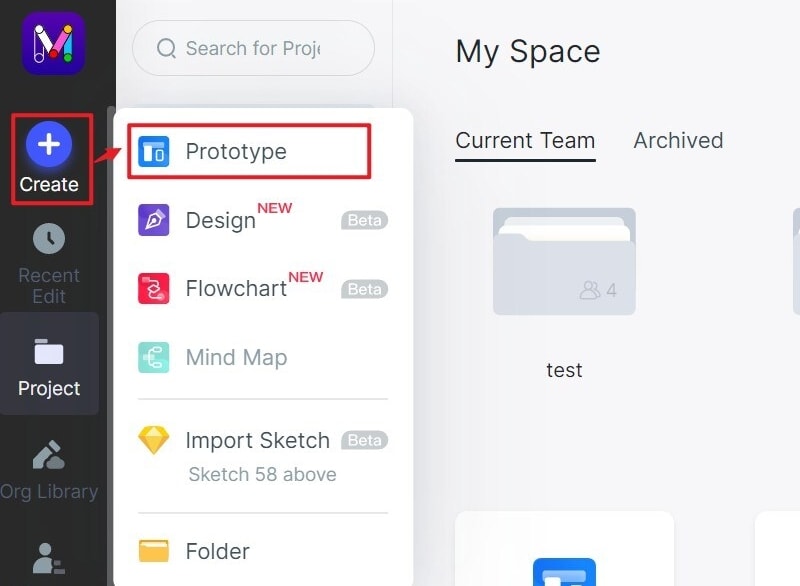
And then go to the dashboard and click "Create" > "Prototype".
Step 2. Choose the Size for Your Project
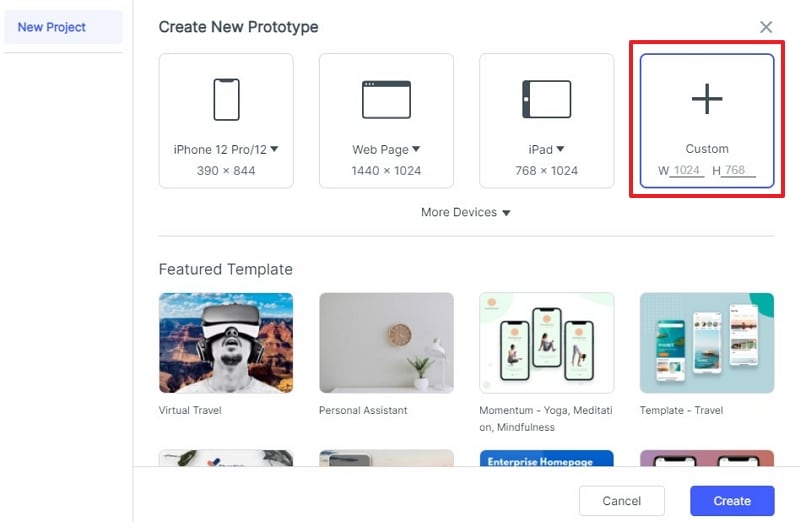
Choose the ideal device screen for your design to have the page orientation and size adjusted accordingly for you. It can be everything from a tablet to a personal computer.
Step 3. Start Designing Your Prototype
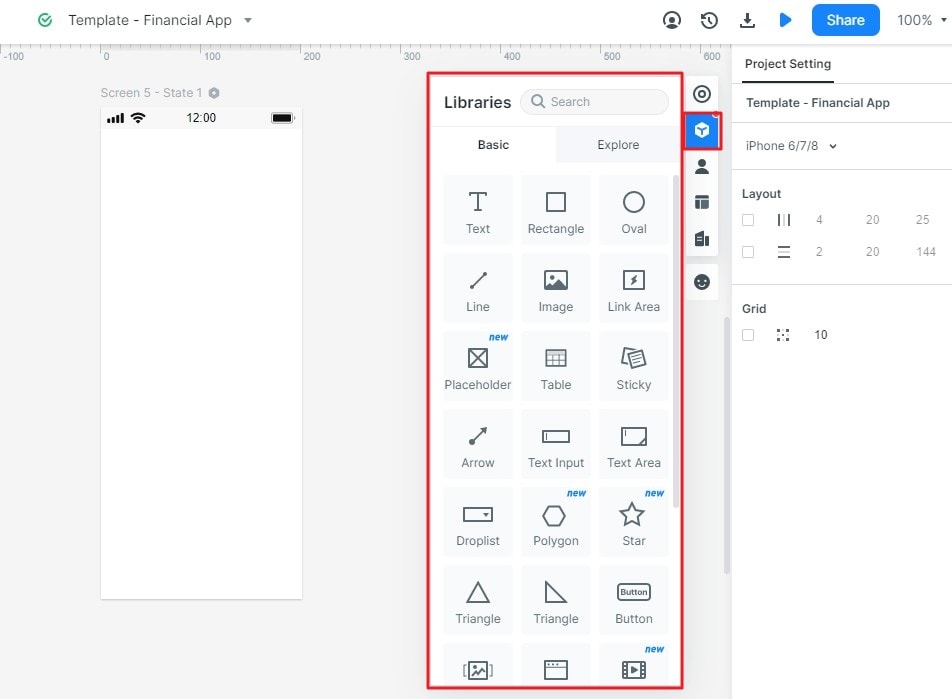
Choose the widgets that you want to use in your design. Drag and drop them to the right places in your screen and start customizing them.
Step 4. Make Your Design Interactive
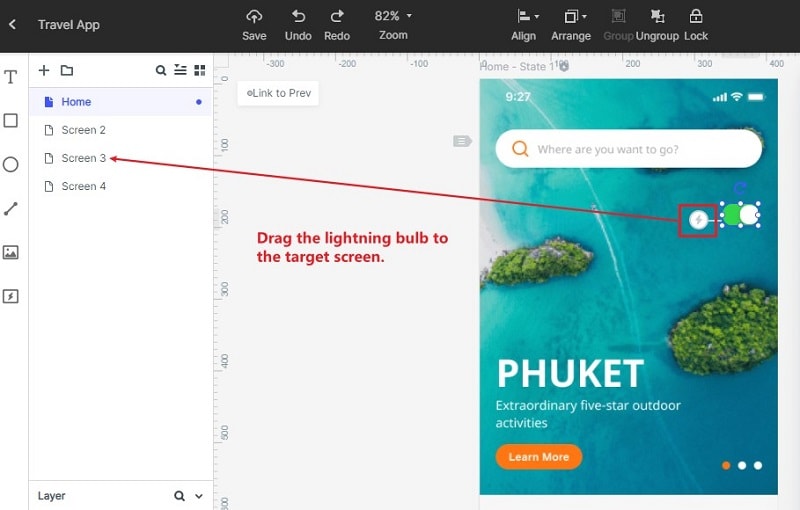
You can add a new screen or keep editing the previous screen. And to state the logic of your prototype, you can link different screens to each other. For example, when you click the button in your design, it should jump into the target page.
Step 5. Preview and Share Your Project
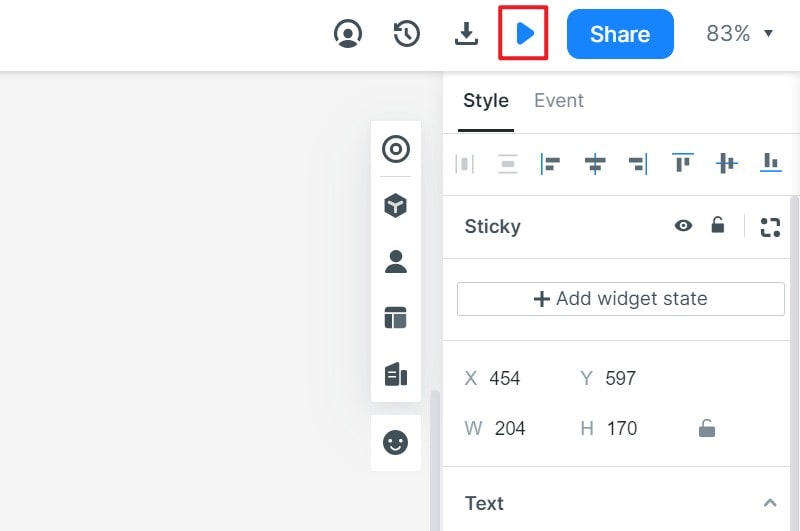
Sit back and have a preview of your finished work through the "preview" button. You can view it in a device screen, as a long page, or in "PRD" mode.
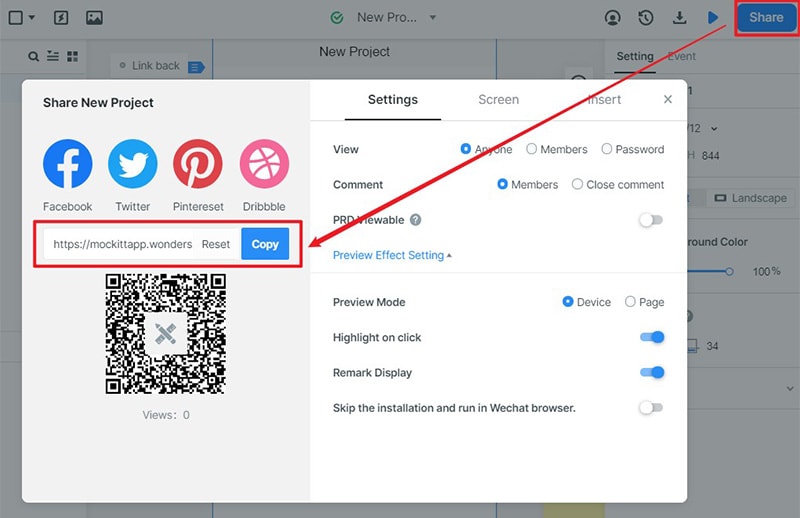
Share your project with your friends and family through a link and get their feedback on it.
Mockitt can help you generate a "Handoff" code that you can use to send your design to the developers.

