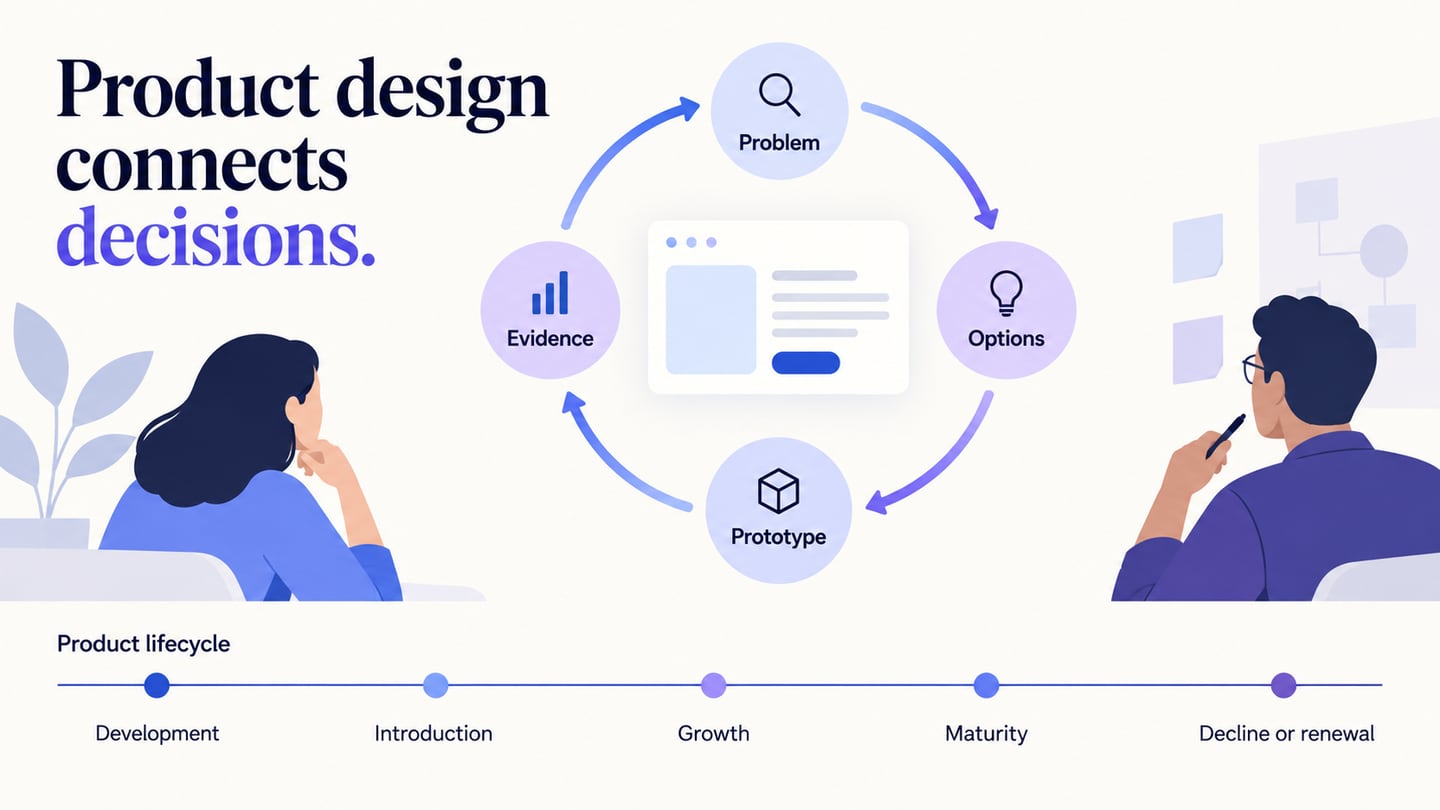
Iterative design refines a solution through cycles of making, evaluating and revising it. Requirements and assumptions provide a starting point, but evidence from each cycle can change the next decision. The aim is learning about the design, not making changes simply because another review is scheduled.
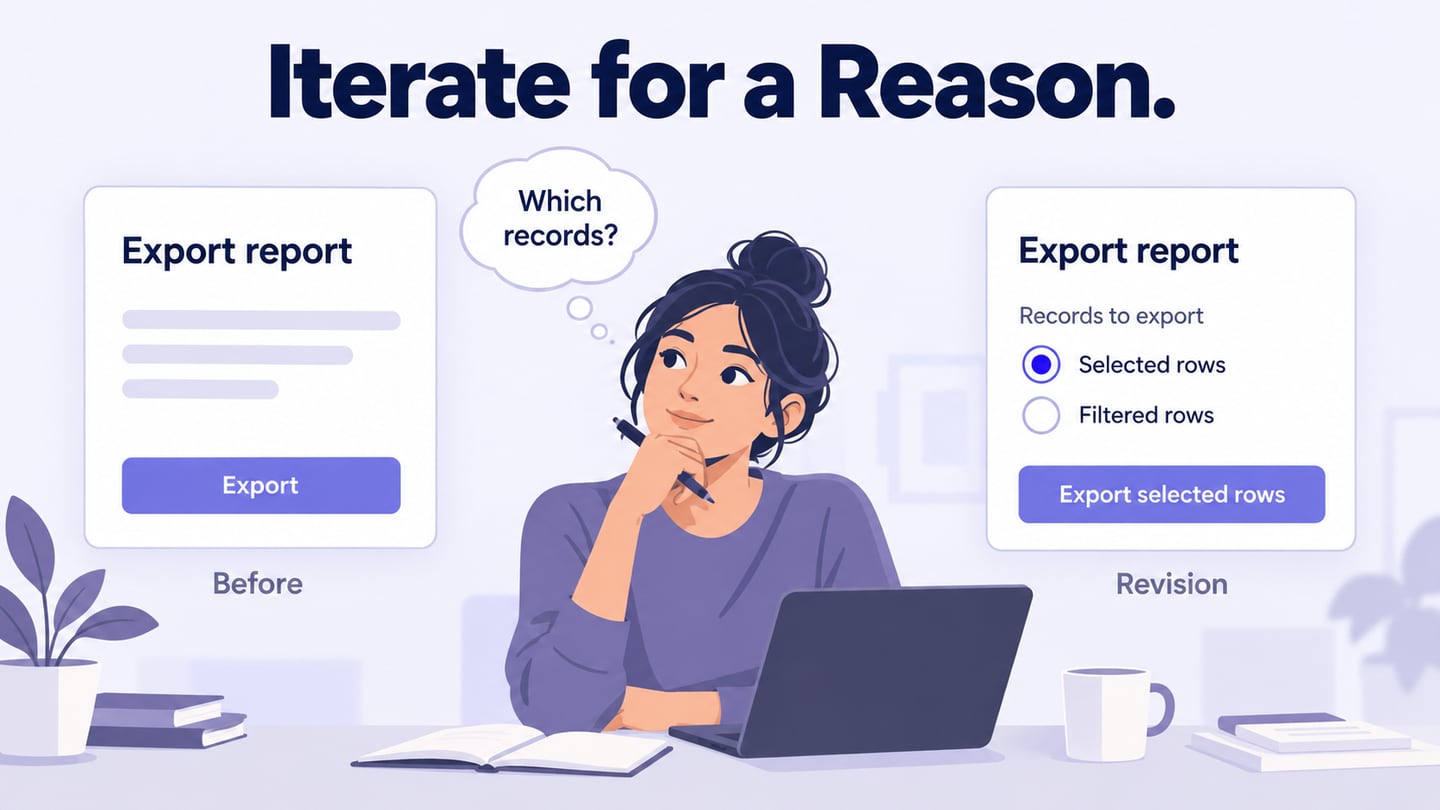
A report-export dialog shows how a specific question can guide an iteration. The five-step process connects that question to a deliberate revision and a review, without assuming every change is an improvement.
Part 1: What is Iterative Design?
Iterative design is a repeated process of refining a design using evaluation. A team creates a representation, examines how it works for the intended task and changes the parts that need improvement. The next cycle checks whether the revision helped and whether it introduced another problem.
Working in manageable increments can support iteration, but the terms are not identical. Iteration revisits and improves something; an increment adds another usable part. A project may use both.
For example, an export dialog may already exist, yet users may not understand whether it exports selected rows or every filtered result. That uncertainty is a reason to investigate and refine the existing design rather than add unrelated features.
Part 2: Why Use the Iterative Design Process?
You can refine and revise a product quickly using the iterative design process. A few main reasons for using iterative design are as follows:
1. Feedback Gives the Revision a Direction
Useful feedback identifies a difficulty in context. Record the task, what happened and what remains uncertain. More comments are not automatically better evidence; a clear observation about a confusing export choice is more actionable than a collection of general preferences.
2. You can stay flexible with it
Iteration allows the team to respond when evidence or constraints change. Keep the goal stable enough to evaluate progress, while being willing to revise an assumption that is no longer supported. Flexibility still needs priorities and a record of decisions.
3. Improvements Can Be Checked
Nielsen Norman Group’s work on iterative interfaces describes refinement based on evaluation and notes that a revision can also make some aspects worse. Do not promise that every cycle improves every metric. Check the intended benefit and possible regressions.
Part 3: Where Is the Iterative Process Used?
Iteration can be used while exploring a new product or refining an existing one. Define a starting version, a question, an evaluation method and a decision about what to do next. The process should be repeatable enough to explain what changed and why.
It applies to websites, applications, services and other designed artifacts. Earlier investigation can expose a weak assumption before larger implementation work, but cost savings depend on the project; they are not guaranteed by labeling the process iterative.

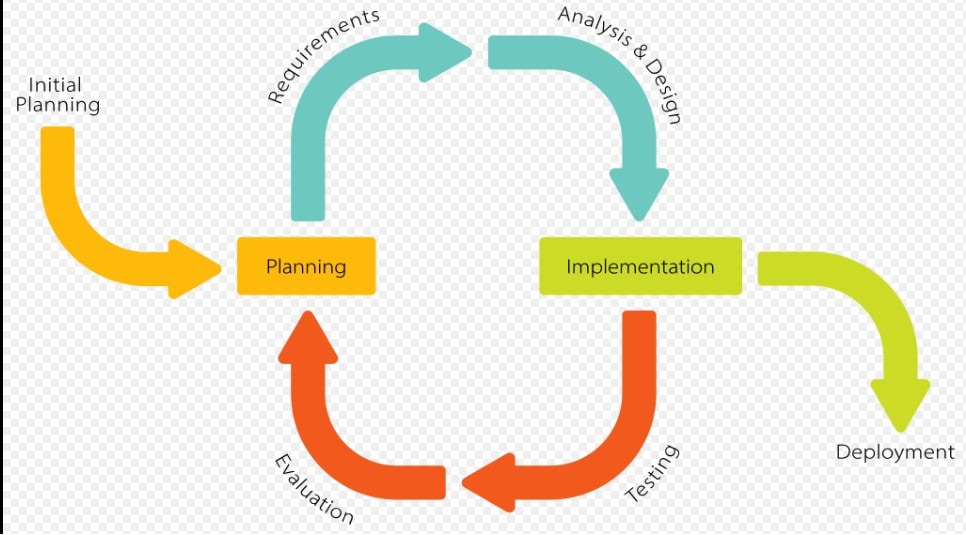
Part 4: Five Steps in an Iterative Design Cycle
These five steps make testing explicit. Some frameworks combine them into fewer phases; the names matter less than whether evidence actually informs the next revision.
Step 1: Plan the Question
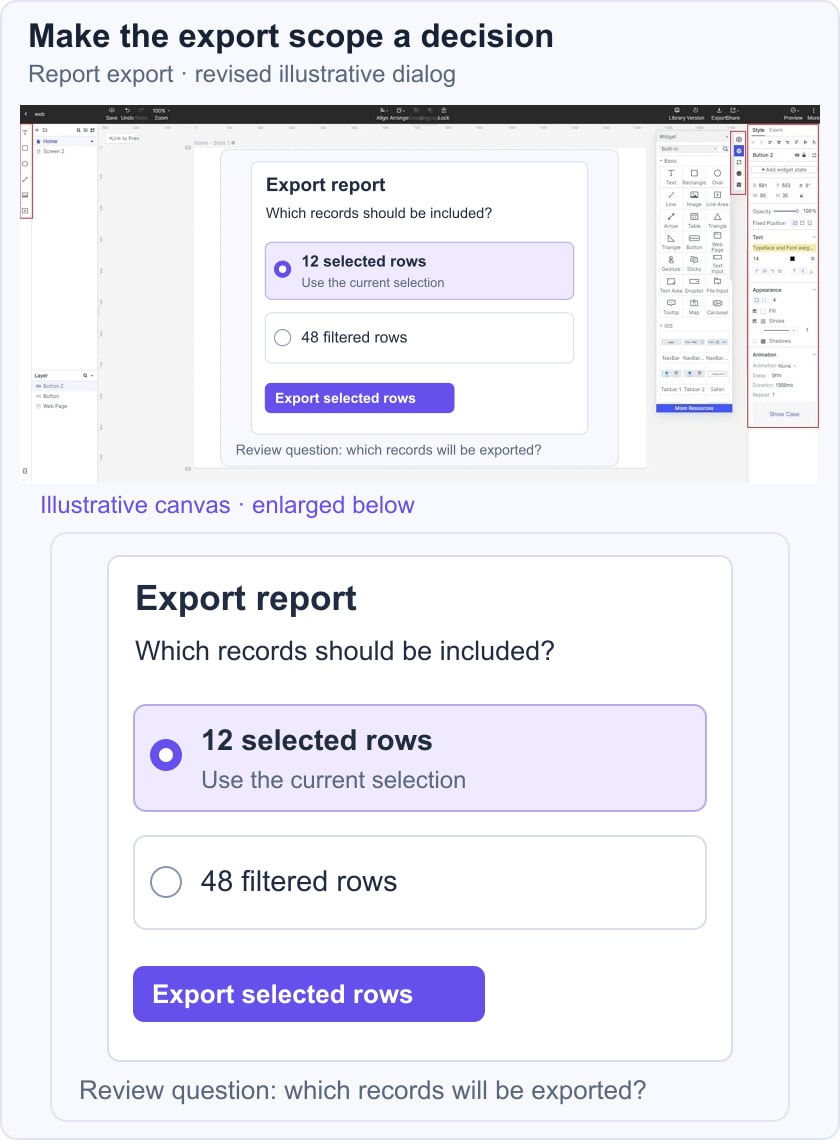
Define the task and the uncertainty. For the report export, ask whether people can tell which records will be included before confirming. Identify constraints such as existing data permissions and the need to preserve selection.
Step 2: Analyze the Current Experience
Inspect the current dialog and relevant research or support evidence. Separate an observed misunderstanding from your proposed explanation. Decide what to change so the next evaluation can address that explanation rather than several unrelated redesigns at once.
Step 3: Implement a Focused Revision
For the export-dialog example, create a revised state that distinguishes 12 selected rows from 48 filtered rows, using illustrative counts. In Mockitt, connect the choice to a confirmation that names the export scope. Keep the surrounding task consistent so reviewers can concentrate on the decision.
Step 4: Evaluate the Task
Ask representative participants to export the selected records and explain what they expect to receive. Observe the choice before giving instructions. A prototype usability session can reveal misunderstanding; a live A/B test answers a different question and needs appropriate traffic, assignment and measurement.
Step 5: Decide What the Evidence Supports
Review whether the scope is understood and whether the revision creates new confusion. Record the observation, the change and the next question. You might refine the label, revisit the interaction or proceed to implementation checks. Stop adding iterations when the agreed decision is sufficiently supported, while documenting unresolved risks.
Part 5: Examples of Iterative Work
The examples below describe possible uses of iteration. They are not case studies with measured outcomes or proof that every organization follows the same process.
Engineering
An engineering team may revise an implemented interaction after finding an error or performance problem. In the export example, design review cannot prove that selected rows are respected by the backend. Engineering tests must check the actual data scope and permissions before release.
Product Development
A product team may refine an existing workflow as needs change. Improving one export dialog is an iteration; adding another report type is an increment. A new version of a device or app does not by itself reveal what evaluation process produced it.
Part 6: Iterative Design FAQs
1. Are There Four or Five Phases?
Both descriptions can be useful. A four-phase model may combine testing with evaluation, while the five-step cycle here separates them. Keep the activity that gathers evidence distinct from the decision about what it means, even if your team uses one label for both.
2. What is the difference between a waterfall and an iterative model?
A sequential or waterfall approach emphasizes planned phases and formal transitions. Changes can still occur, but they may require more coordination or rework. Iterative design explicitly revisits decisions using evaluation. It is inaccurate to say a waterfall project can never change requirements or that iteration always means adding features.
3. Does Amazon use Agile or waterfall?
Amazon’s official discussion of two-pizza teams describes small teams and ownership. That is not evidence that every Amazon team uses one development method, or that a company-wide Scrum adoption began in a particular year. Choose a process for your own constraints rather than copy an unsupported organizational claim.
Conclusion
A useful iteration connects a specific uncertainty to a deliberate revision and an evaluation. Keep the previous version and the reason for the change, test the relevant task, and distinguish a supported decision from an attractive new screen. That record makes the next cycle more focused.