Adobe XD does not provide a Linux editor and is in maintenance mode. For a Linux workflow, distinguish a native drawing application from a browser-based interface editor, and distinguish authoring from preview-only access. This article reviews the original ten entries with those boundaries; not every entry is a current production-ready alternative.
10 of the Best Adobe XD Alternative for Linux
Choose the required output first: editable UI screens, a clickable prototype, vector artwork or a deployed business application. The tools below cover different jobs. A browser-accessible product can be usable from Linux without offering a native Linux application.
1. Mockitt
Mockitt is no doubt the cherry on the top Adobe XD alternative for Linux. The amazing platform offers a top-notch way to create prototypes and collaborate like never before. The assortment of excellent features justifies why there are scores of people leveraging this platform to turn their ideas into meaningful products.
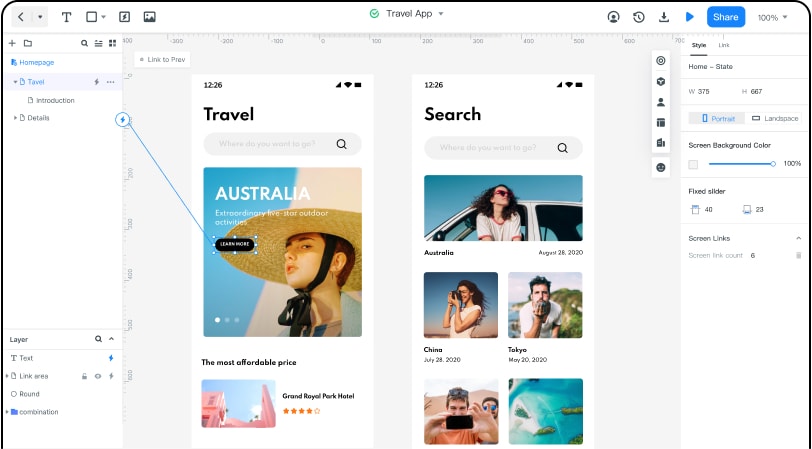
The amazing interface allows product managers, developers, and designers to collaborate effectively. They can manage their teams well irrespective of their sizes because this platform brings everyone in the enterprise together. And if you are a professional by yourself, you can also have a personal space.
The cloud feature simplifies how designers can collaborate across several different devices as they can do real-time co-editing and ensure everyone is synced. This ensures there is no space or time limitation because users don't really have to download design files every time. What about the wealth of assets and templates available? These features greatly lessen and fasten your design process.
Pros
- Users can animate and prototype websites or applications much faster.
- Cloud feature ensures that all your projects are sync, and you can access them anytime anywhere.
- It has plenty of templates that ease the design process. Users can create their asset libraries and reuse them anytime.
- Numerous built-in widgets help you create stunning interfaces in a short time.
- It allows managers to manage all sizes of teams much efficiently.
- The program allows for seamless communication. Thanks to the inspection and discussion feature like handoff mode, inspect and view codes, and project comments.
- With the help of Action, Target, and Transition effects, users can transform the static screen into an interactive interface.
Cons
- The free version has limited functionality.
System Compatibility
Browser-based authoring on a supported desktop browser; verify your Linux distribution, browser and font workflow. This does not assert a native Ubuntu application or support for every browser.
2. Figma for Linux
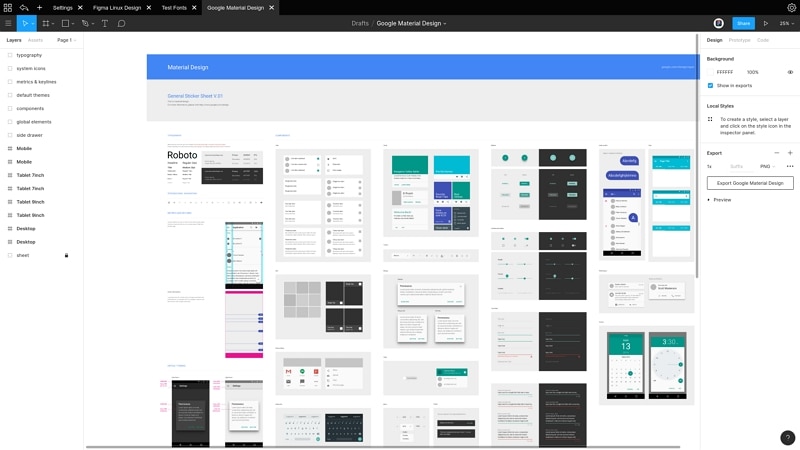
Figma is another good Adobe XD Linux alternative. This program allows users to design, prototype, and collaborate. It helps various team sizes to design, test, and integrate better designs throughout the entire process. It is equipped with several design features and other unique inventions such as the Arc tool and Vector Networks that keep your ideas trickling smoothly. Since it is a good cloud software, you don't need to install, save, or export. The platform provides an easy way to make your ideas practical via prototype animations. You will get more concepts and test your prototype more often and faster than you expected.
Pros
- Users can design and prototype in tandem.
- Users can share designs anywhere across the world and even jump into the same page to co-edit the project live.
- It is fast.
- It is easy to share designs with team members.
- Users can build a design once and use it several times.
- There are many templates to ease your design process.
Cons
- The free version has limited functionality, while the Premium version is expensive.
System Compatibility
Figma’s browser editor is available on Linux with a supported browser and working WebGL. Its official desktop applications are for macOS and Windows; local font requirements differ from those platforms.
3. Gravit Designer Pro
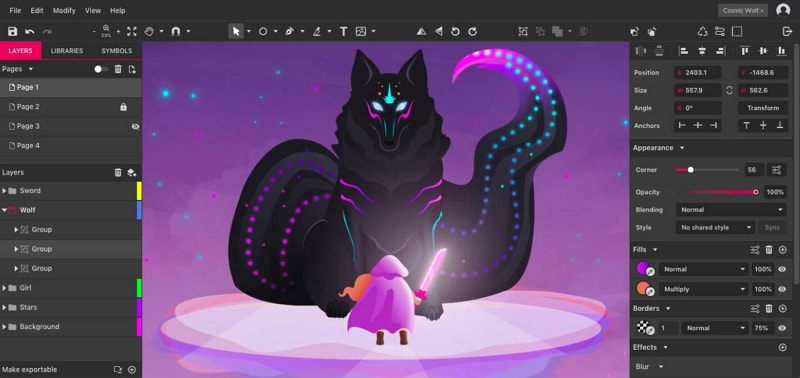
Gravit Designer is an excellent versatile tool that allows users to design web and app UI, shapes, and perform image and photo editing. It is a powerful adobe xd alternative Linux tool. It provides plenty of tools to create solutions on whichever system or platform. Unlock your creative potentials with the vector illustration feature, which hosts precision tools to create all kinds of shapes, points, and lines. Being a great UI design platform, you can create mockups and wireframes with the help of shared styles, symbols, anchors, and even pages. Adjust color, lighting, apply filters, and blending to edit your image properly.
Pros
- It is a versatile tool.
- It is cross-platform, and hence there is no need to panic about device compatibility.
- It has a user-friendly interface that ensures a non-steep learning curve.
- Offers plenty of flexible and non-destructive object styles.
- It supports 14 different languages, and users have control over typography.
- Supports import and export options, including PDF documents at 300 DPI.
- Easily share designs across all platforms.
Cons
- Limited design and collaboration functionality compared to top-notch applications.
System Compatibility
Cross-platform
4. Akira
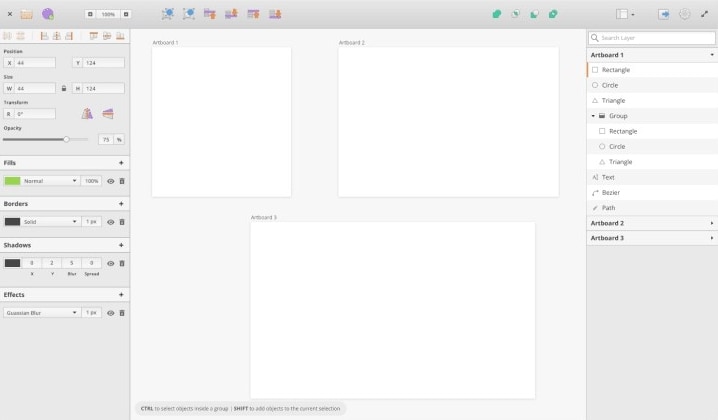
Akira is a native Linux UI/UX design project built with Vala and GTK. Its maintainer README labels it early development and not ready for production. Treat it as an experimental project to evaluate or contribute to, not a dependable replacement for a team’s production editor.
Pros
- It features a simple and elegant user interface. The menus aren't confusing and is easy to navigate even for prototyping or wireframing.
- It is fast.
- It offers a modern approach to the design of UI and UX.
- It is a free open source program.
Cons
- Its development status makes it unsuitable as the default recommendation for production work.
- It is still under development.
- Only limited to Linux.
System Compatibility
Linux
5. Inkscape
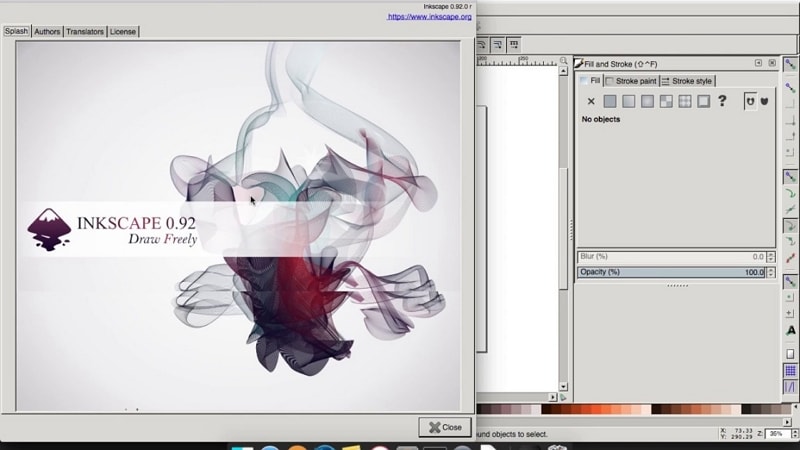
Inkscape is a free, open-source vector graphics editor available on Linux. Its native format is SVG, and it provides drawing, shape, text, path and bitmap-placement tools. It can create UI artwork and static screen layouts, but it is not an interactive prototyping substitute merely because it can draw the same shapes. Import support varies by format; do not assume native Sketch or every proprietary design file can be edited intact.
Moreover, it supports the manipulation of objects created with the help of transformation options, Z-order operations, grouping, layers, and alignment and distribution commands. Other essential features include fill and stroke, operations on paths, text support, and rendering. Because it is free and cross-platform, this tool is often suitable for use by students or people who use old computers for vector graphics.
Pros
- It is free and cross-platform.
- Offers several flexible drawing tools.
- Supports Bezier and Spiro curves.
- It is compatible with a wide range of file formats.
Cons
- It focuses on vector graphics rather than interactive app prototyping.
- Use it for artwork, icons and static UI assets; interactive screen behavior requires a separate workflow.
- Lack of collaborative features.
- It has limited features.
6. Vectr
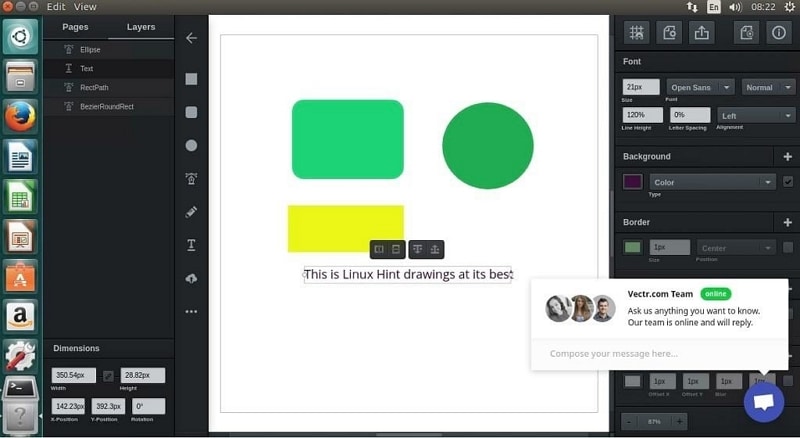
Vectr is a browser-based vector graphics service. It is useful for scalable artwork such as icons, logos and illustrations. Its current site should not be read as evidence of a maintained native Linux editor or a complete interactive app-prototyping workflow. Review its available plan and collaboration features for the asset task you need.
Pros
- It allows users to automatically save and sync their work in real-time across all platforms.
- It is a cross-platform tool, a great adobe xd alternative for Ubuntu
- It is free.
- It creates clear objects, and users can scale to the desired size without affecting the clarity.
- It supports real-time collaboration.
- It is easy to use. Thanks to the simple and intuitive interface.
Cons
- Fewer features compared to powerful similar-purpose software.
7. Skuid
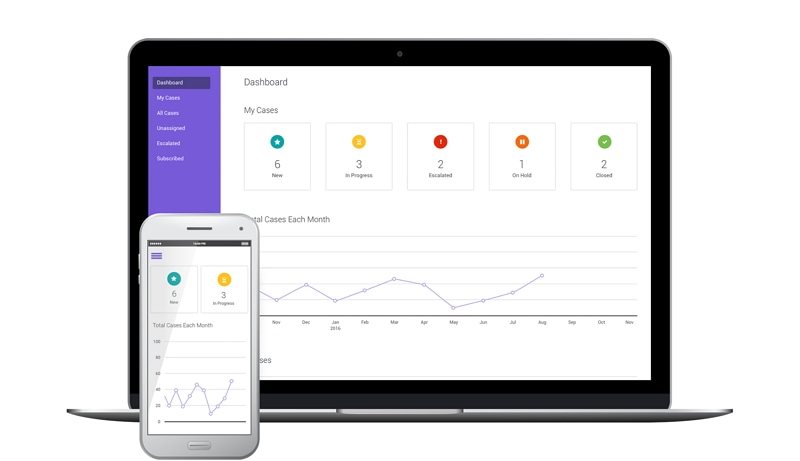
Skuid is associated with Nintex’s application-development products; Nintex Apps was formerly known as Skuid NLX. It is a business-app and data workflow rather than a like-for-like UI prototype editor. Evaluate it when the task is building a connected business application, not simply drawing and reviewing screens.
Pros
- It offers an avenue to unify the data and applications of an organization into a single shared platform.
- Follows the traditional app development practices which allow for human-centered designs.
- Users can build complex applications without even writing any code.
- Application costs depend on licensing, data connections and implementation needs.
- It supports the reusability of applications, pages, and other content.
Cons
- Not well equipped like other top-notch tools.
System Compatibility
Windows, Linux, MacOS, web-based
8. HotGloo
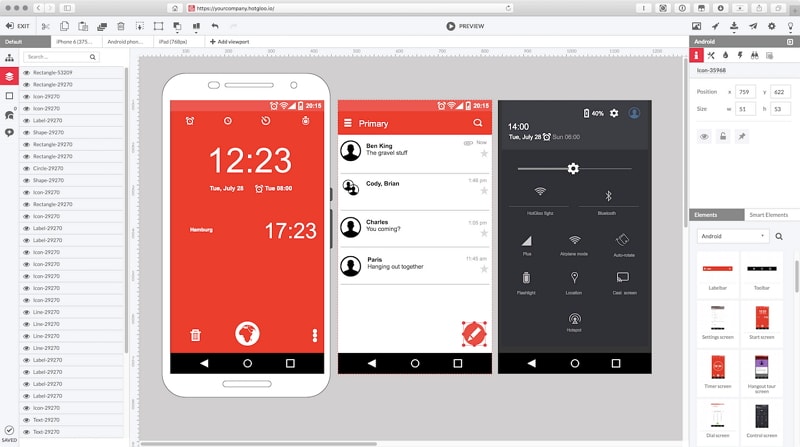
HotGloo is another powerful Adobe XD alternative for Linux. This tool supports UX, wireframe, and prototyping for websites, mobile platforms, and wearable devices. Users can create, test, and share their prototypes interactively with the team and clients. This way, they can collaborate and get live feedbacks regarding their prototypes.
Pros
- Users can share their prototypes interactively with team members or clients and obtain live feedback. This is nothing but real-time collaboration.
- The program is easy to use. The available tutorials and documentation alongside a reliable support team make it a plain sailing program.
- Separate desktop browser authoring from mobile preview and review; opening a prototype on a phone does not establish full editor support.
- It harbors over 2000 elements, widgets, and icons, which make the library so rich and easy to create stunning designs.
- Use the vendor’s supported browser configuration for authoring and separately verify the intended review device.
- Creates interactive wireframes, which makes it one of the best tools for web workers.
Cons
- The premium version is pricey.
System Compatibility
Browser-based service; authoring and preview requirements may differ.
9. FluidUI
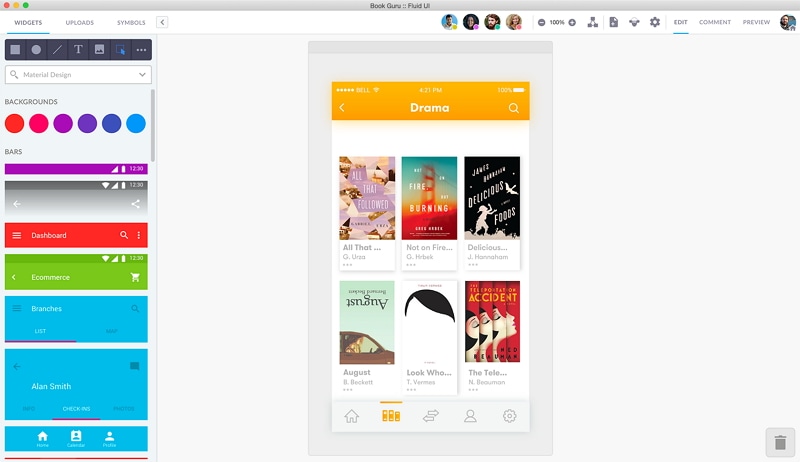
FluidUI is an Adobe XD alternative for Ubuntu, this free online platform that allows users to build user interfaces of their applications with ease. The program features a library that hosts several Apple and Google material assets. Users can then edit them directly in their browsers with the help of editing tools provided. Although this tool is free, it does allow users to share their prototypes and receive comments and reviews. Unlike other powerful software that allows real-time collaboration, this platform will enable users to share prototypes via link and email. Also, it supports the linking of several pages and buttons for ease of interactions between these pages.
Pros
- It is simple in design and easy to use.
- It is free.
- It supports linking and interaction between several different pages.
Cons
- It has a scarce in-built library of assets.
- Confirm that the interaction types required by your prototype are available in the selected plan.
- A linked-screen workflow may not cover every state, variable or conditional behavior required by a complex prototype.
System Compatibility
web, MacOS, Windows, Linux
10. UXPin
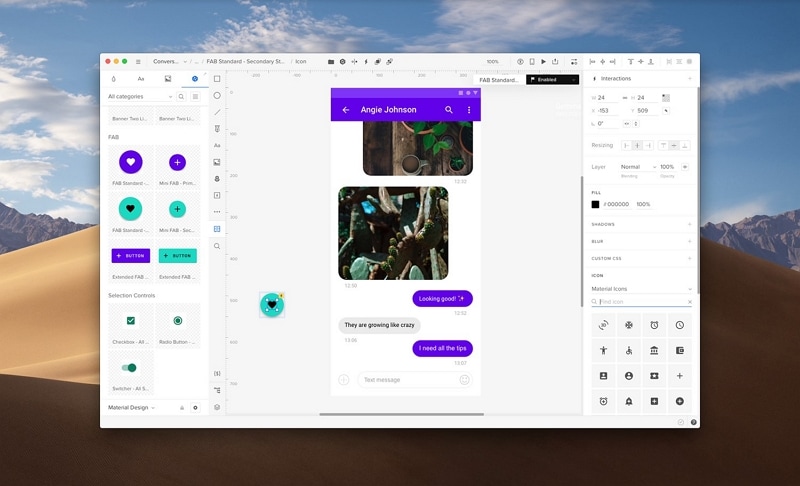
UXPin is another great adobe xd alternative ubuntu. The web-based platform is suitable for designing documents such as sitemaps, wireframes, and flowcharts, just to mention but a few. It gives you a collaborative platform to post created graphics and invite team members to review and comment. It also comes with its wireframe editor, which enables real-time collaborations as well as uploading wireframes to HTML. Generally, this platform allows users to design, prototype, and collaborate.
Pros
- Has built-in libraries that make working much faster.
- It supports real-time collaboration.
- It has a user-friendly interface which makes it easy to navigate.
- It gives several tools necessary for design prototyping.
- Has a net dashboard to keep things organized.
- Review the service’s security and retention documentation for the data you intend to upload. A design tool does not remove the team’s responsibility for access permissions.
Cons
- More detailed prototypes require deliberate modeling of states, data and interactions.
System Compatibility
web, MacOS, Windows, Linux